Apart from the sort of features that I now take for granted in a filesystem (data integrity, easy management, extreme scalability, unlimited snapshots), ZFS also has built in compression.
I've already noted how this can be used to compress backup catalogs. One important thing here is that it's completely transparent, which isn't true of any scheme that goes around compressing the files themselves.
Recently, I've (finally) started to enable compression more widely, as a matter of course. Certainly on new systems there's no excuse, at the default level of compression at any rate.
There was a caveat there: at the default compression level. The point here being that the default level of compression can get you decent gains and is essentially free: you gain space and reduce I/O for a negligible CPU cost. The more aggressive compression schemes can compress your data more, but having tried them it's clear that there's a significant performance hit: in some cases when I tried it the machine can freeze completely for a few seconds, which is clearly noticeable to users. Newer more powerful machines shouldn't have that problem, and there have been improvements in Solaris as well that keep the rest of the system more responsive. I still feel, though, that enabling more aggressive compression than the default is something that should only be done selectively when you've actually compared the costs and benefits.
So, I'm enabling compression on every filesystem containing regular data from now on.
The exception, still, is large image filesystems. Images in TIFF and JPEG format are already compressed so the benefit is pretty negligible. And the old thumpers we still use extensively have relatively little CPU power (both compared to more modern systems, and for the amount of data and I/O these systems do). Compression here is enabled more selectively.
Given the continuing growth in cpu power - even our entry-level systems are 24-way now - I'm expecting it won't be long before we get to the point where enabling more aggressive compression all the time is going to be a no-brainer.
Sunday, August 07, 2011

Thursday, July 28, 2011
A bigger hammer than svcadm
One advantage of the service management facility (SMF) in Solaris is that you can treat services as single units: you can use
Sometimes, though, that's not enough. If your system is under real stress (think swapping itself to death with thousands of rogue processes) then you can find that
So, what to to? It's actually quite easy, once you know what you're looking for.
The first step is to get details of the service using
(Why use -9 rather than a friendlier signal? In this case, it was because I just wanted the processes to die. Asking then nicely involves swapping them back in, which would take forever.)
svcadm to control all the processes associated with a service in one command. This makes dealing with problems a lot easier than trying to grope through ps output trying to kill the right processes.Sometimes, though, that's not enough. If your system is under real stress (think swapping itself to death with thousands of rogue processes) then you can find that
svcadm disable or svcadm restart simply don't take.So, what to to? It's actually quite easy, once you know what you're looking for.
The first step is to get details of the service using
svcs with the -v switch. For example:(you'll notice a presentation bug here). The important thing is the number in the CTID column. This is the contract ID. You can then use
# svcs -v server:rogue
STATE          NSTATE        STIME    CTID   FMRI
online         -             10:06:05 7226124svc:/network/server:rogue
pkill with the -c switch to send a signal to every process in that process contract, which defines the boundaries of the service. So:and they will all go. And then, of course SMF will neatly restart your service automatically for you.
pkill -9 -c 7226124
(Why use -9 rather than a friendlier signal? In this case, it was because I just wanted the processes to die. Asking then nicely involves swapping them back in, which would take forever.)
Tuesday, July 26, 2011
The Oracle Hardware Management Pack
I've recently acquired some new servers - some SPARC T3-1s and some x86 based X4170M2s.
One of the interesting things about these is that the internal drives are multipathed by default - so you get device names like c0t6006016021B02C00F22A3EED6CADE011d0s2 rather than the more traditional c0t0d0s2.
This makes building a jumpstart profile a bit more tedious than normal, because you need to have a separate disk configuration section for every box - because the device names are different on each box.
However, there's another minor problem. How do you easily map from the WWN-based device names to physical positions in the chassis? You really need this so you're sure you're swapping the right drive. And while a SPARC system really doesn't mind which disk it's booting from, for an x86 system it helps if you install the OS on the first disk in the BIOS boot order.
The answer is to install the Oracle Hardware Management Pack. (Why this isn't even on the preinstalled image I can't explain.) This seems to work on most current and recent Sun server models.
Now, actually getting the Hardware Management Pack isn't entirely trivial. So prepare to do battle with the monstrosity called My Oracle Support.
So, you're logged in to My Oracle Support. Click the Patches & Updates tab. In the Patch Search area, click the link marked 'Product or Family (Advanced)'. Then scroll down the dropdown list and select the item that says 'Oracle Hardware Management Pack'. Then choose some of the most recent releases (highest version numbers - note that different hardware platforms match different version numbers of the software) and select your desired platform (essentially, SPARC or X86 or both) from the dropdown to the right of where it says 'Platform is'. Then hit the Search button.
Assuming the flash gizmo hasn't crashed out on you (again) you should get a list of patches. No, I have no idea why they're called patches when they're not. You can then click on the one you want and download it.
What you get is a zip file, so you can unzip that, cd into it and then into the SOFTWARE directory inside it, and then run the install.bin file you find there. (You may have to chmod the install.bin file to make it executable.) I just accept all the defaults and let it get on with it.
On a preinstalled system it may claim it's already installed. It probably isn't - just 'pkgrm ipmitool' first. And if you're using your own jumpstart profile, make sure the SUNWCsma cluster is installed. It may be necessary to wait a while and then 'svcadm restart sma' to get things to take the first time.
So, once it's installed, what can you do?
The first thing is that there's a Storage tab in the ILOM web interface. Go there once you've got the hardware management pack installed and you should be able to see the controllers and disks enumerated.
On the system itself, the
will give a verbose listing of the disks on controller c0. (And. just to remind you, the c0 in c0t6006016021B02C00F22A3EED6CADE011d0s2 doesn't refer to physical controller 0.)
The hardware management pack is really useful - if you're running current generation Sun T-series or X-series hardware, you ought to get it and use it.
One of the interesting things about these is that the internal drives are multipathed by default - so you get device names like c0t6006016021B02C00F22A3EED6CADE011d0s2 rather than the more traditional c0t0d0s2.
This makes building a jumpstart profile a bit more tedious than normal, because you need to have a separate disk configuration section for every box - because the device names are different on each box.
However, there's another minor problem. How do you easily map from the WWN-based device names to physical positions in the chassis? You really need this so you're sure you're swapping the right drive. And while a SPARC system really doesn't mind which disk it's booting from, for an x86 system it helps if you install the OS on the first disk in the BIOS boot order.
The answer is to install the Oracle Hardware Management Pack. (Why this isn't even on the preinstalled image I can't explain.) This seems to work on most current and recent Sun server models.
Now, actually getting the Hardware Management Pack isn't entirely trivial. So prepare to do battle with the monstrosity called My Oracle Support.
So, you're logged in to My Oracle Support. Click the Patches & Updates tab. In the Patch Search area, click the link marked 'Product or Family (Advanced)'. Then scroll down the dropdown list and select the item that says 'Oracle Hardware Management Pack'. Then choose some of the most recent releases (highest version numbers - note that different hardware platforms match different version numbers of the software) and select your desired platform (essentially, SPARC or X86 or both) from the dropdown to the right of where it says 'Platform is'. Then hit the Search button.
Assuming the flash gizmo hasn't crashed out on you (again) you should get a list of patches. No, I have no idea why they're called patches when they're not. You can then click on the one you want and download it.
What you get is a zip file, so you can unzip that, cd into it and then into the SOFTWARE directory inside it, and then run the install.bin file you find there. (You may have to chmod the install.bin file to make it executable.) I just accept all the defaults and let it get on with it.
On a preinstalled system it may claim it's already installed. It probably isn't - just 'pkgrm ipmitool' first. And if you're using your own jumpstart profile, make sure the SUNWCsma cluster is installed. It may be necessary to wait a while and then 'svcadm restart sma' to get things to take the first time.
So, once it's installed, what can you do?
The first thing is that there's a Storage tab in the ILOM web interface. Go there once you've got the hardware management pack installed and you should be able to see the controllers and disks enumerated.
On the system itself, the
raidconfig command is very useful. Something likewill give you a device summary, and
raidconfig list all
raidconfig list disk -c c0 -v
will give a verbose listing of the disks on controller c0. (And. just to remind you, the c0 in c0t6006016021B02C00F22A3EED6CADE011d0s2 doesn't refer to physical controller 0.)
The hardware management pack is really useful - if you're running current generation Sun T-series or X-series hardware, you ought to get it and use it.
Friday, July 08, 2011
CPU visualization
Over the years, simple tools like cpustate have allowed you to get a quick visualization of cpu utilization on Solaris. It's sufficiently simple and useful that emulating it was one of the first demos I put together using JKstat.
Its presentation starts to suffer as core and thread counts continue to rise. So recently I added vertical bars as an option. This allows a more compact representation, and also works better given that most screens are wider that they are tall.
Still, even that doesn't work very well on a 128-way machine. And, by treating all cpus equally, you can't see how the load is distributed in terms of the processor topology.
However, as of the new release of SolView there's now a 'vertical' option for the enhanced cpustate demo included there.

So, what's here? This is a 2-chip system (actually an X4170M2), each chip has 6 cores, each of which has 2 threads. The chips are stacked above each other, and within each chip is a smaller display for each core, and within each core are its threads. All grouped together to show how the threads and cores are related, and each core and chip having an aggregate display.

Above is a T5140 - 2 chips, each with 8 cores each with 8 threads.
I find it interesting to watch these for a while, and you can see how work is scheduled. What you normally see is an even spread across the cores. Normally, if there's an idle core you see a process sent there rather than running on a thread on a busy core and competing for shared resources. (Not always: you can see on the first graph that there's one idle core and another core with both threads busy, which is unusual.) The scheduler is clearly aware of the processor topology and generally distributes the work pretty well to make best use of the available cores.
Its presentation starts to suffer as core and thread counts continue to rise. So recently I added vertical bars as an option. This allows a more compact representation, and also works better given that most screens are wider that they are tall.
Still, even that doesn't work very well on a 128-way machine. And, by treating all cpus equally, you can't see how the load is distributed in terms of the processor topology.
However, as of the new release of SolView there's now a 'vertical' option for the enhanced cpustate demo included there.

So, what's here? This is a 2-chip system (actually an X4170M2), each chip has 6 cores, each of which has 2 threads. The chips are stacked above each other, and within each chip is a smaller display for each core, and within each core are its threads. All grouped together to show how the threads and cores are related, and each core and chip having an aggregate display.

Above is a T5140 - 2 chips, each with 8 cores each with 8 threads.
I find it interesting to watch these for a while, and you can see how work is scheduled. What you normally see is an even spread across the cores. Normally, if there's an idle core you see a process sent there rather than running on a thread on a busy core and competing for shared resources. (Not always: you can see on the first graph that there's one idle core and another core with both threads busy, which is unusual.) The scheduler is clearly aware of the processor topology and generally distributes the work pretty well to make best use of the available cores.
Thursday, June 30, 2011
Updated Node
As a result of a new version of Node being released, I've updated my Solaris 10 (x86) package, available here.
This updates Node to 0.4.9 and the bundled cURL to 7.21.7.
Building this was exactly the same as in my earlier posts. I've updated the patch, although the observant will notice that it's the same patch with the path updated; there's no functional change in the patch.
This updates Node to 0.4.9 and the bundled cURL to 7.21.7.
Building this was exactly the same as in my earlier posts. I've updated the patch, although the observant will notice that it's the same patch with the path updated; there's no functional change in the patch.
Tuesday, June 28, 2011
Node serving zipfiles
One problem I've been looking at recently is how to serve - efficiently - directories containing large numbers of tiny files to http clients. At the moment, we just create the files, put them on a filesystem, and let apache go figure it out.
The data is grouped, though, so that each directory is an easily identifiable and self-contained chunk of data. And, if a client accesses one file, chances are that they're going to access many of the other neighbouring files as well.
We're a tiny tiny fraction of the way into the project, and we're already up to 250 million files. Anyone who's suffered with traditional backup knows that you can't realistically back this data up, and we don't even try.
What I do, though, is generate a zip file of each directory. One file instead of 1000, many orders of magnitude less in your backup catalog (thinking about this sort of data, generating a backup index or catalog can be a killer), and you can stream large files instead of doing random I/O to tiny little files. We save the zip archives, not the original files.
So then, I've been thinking, why not serve content out of the zip files directly? We cut the number of files on the filesystem dramatically, improve performance, and make it much more manageable. And the access pattern is in our favour as well - once a client hits a file, they'll probably access many more files in the same zip archive, so we could prefetch the whole archive for even more efficiency.
A quick search turned up this article. It's not exactly what I wanted to do, but it's pretty close. So I was able to put together a very simple node script using the express framework that serves content out of a zip file.
So, a quick explanation:
See how easy it is to generate something pretty sophisticated using Node? And even I can look at the above and understand what it's doing.
Now, the above isn't terribly complete.
For one thing, I ought to work out the correct content type for each request. This isn't hard but adds quite a lot of lines of code.
The other thing that I want to do is to have the application handle multiple zip files. So you get express to split up the request into a zipfile name and the name of a file within the zip archive. And then keep a cache of recently used zipfiles.
Which leaves a little work for version 2.
The data is grouped, though, so that each directory is an easily identifiable and self-contained chunk of data. And, if a client accesses one file, chances are that they're going to access many of the other neighbouring files as well.
We're a tiny tiny fraction of the way into the project, and we're already up to 250 million files. Anyone who's suffered with traditional backup knows that you can't realistically back this data up, and we don't even try.
What I do, though, is generate a zip file of each directory. One file instead of 1000, many orders of magnitude less in your backup catalog (thinking about this sort of data, generating a backup index or catalog can be a killer), and you can stream large files instead of doing random I/O to tiny little files. We save the zip archives, not the original files.
So then, I've been thinking, why not serve content out of the zip files directly? We cut the number of files on the filesystem dramatically, improve performance, and make it much more manageable. And the access pattern is in our favour as well - once a client hits a file, they'll probably access many more files in the same zip archive, so we could prefetch the whole archive for even more efficiency.
A quick search turned up this article. It's not exactly what I wanted to do, but it's pretty close. So I was able to put together a very simple node script using the express framework that serves content out of a zip file.
// requires express and zipfile
// npm install express
// npm install zipfile
//

function isDir(pathname) {
 if (!pathname) {
  return false;
 } else {
  return pathname.slice(-1) == '/';
 }
}

var zipfile = require('zipfile').ZipFile;
var myzip = new zipfile('/home/peter/test.zip');

// hash of filenames and content
var ziptree = {};
for (var i = 0; i < myzip.names.length ; i++) {
 if (!isDir(myzip.names[i])) {
  ziptree[myzip.names[i]] = myzip.readFileSync(myzip.names[i])
 }
}

var app = require('express').createServer();

app.get('/zip/*', function(req, res){
    if(ziptree[req.params[0]]) {
 res.send(ziptree[req.params[0]], {'Content-Type': 'text/plain'});
    } else {
 res.send(404);
    }
});

app.listen(3000);
console.log("zip server listening on port %d", app.address().port);
So, a quick explanation:
- I open up a zipfile and, for each entry in it that isn't a directory, shove it into a hash with the name as the key and the data as the value.
- I use express to route any request under /zip/, the filename is everything after the /zip/, and I just grab that path from the hash and return the data.
See how easy it is to generate something pretty sophisticated using Node? And even I can look at the above and understand what it's doing.
Now, the above isn't terribly complete.
For one thing, I ought to work out the correct content type for each request. This isn't hard but adds quite a lot of lines of code.
The other thing that I want to do is to have the application handle multiple zip files. So you get express to split up the request into a zipfile name and the name of a file within the zip archive. And then keep a cache of recently used zipfiles.
Which leaves a little work for version 2.
Saturday, June 18, 2011
Node and kstat goodness
Now I've got got node.js built on Solaris (see blog entry 1 and blog entry 2) I've been playing with using it as a server.
So the next thing I did was to augment node-kstat from Bryan Cantrill's original. There's the odd minor fix, I've essentially completed the list of kstats supported (including most of the raw kstats), and added methods that give the support needed by JKstat, and there's an example jkstat.js script that can run as a server under node that the JKstat client can connect to.
A collection of my Node stuff is available here, including a Solaris 10 package for those of you unable to build it yourselves.
Of course, in order to use the node-kstat server I've had to add RESTful http client support to JKstat, which has now been updated with the 0.51 release.
JKstat also loses the JavaFX demos. It doesn't appear to me that JavaFX is going to be terribly interesting for a while. The 2.0 beta isn't available for Solaris at all (1.x wasn't available for SPARC anyway), and appears to be essentially incompatible anyway.
So the next thing I did was to augment node-kstat from Bryan Cantrill's original. There's the odd minor fix, I've essentially completed the list of kstats supported (including most of the raw kstats), and added methods that give the support needed by JKstat, and there's an example jkstat.js script that can run as a server under node that the JKstat client can connect to.
A collection of my Node stuff is available here, including a Solaris 10 package for those of you unable to build it yourselves.
Of course, in order to use the node-kstat server I've had to add RESTful http client support to JKstat, which has now been updated with the 0.51 release.
JKstat also loses the JavaFX demos. It doesn't appear to me that JavaFX is going to be terribly interesting for a while. The 2.0 beta isn't available for Solaris at all (1.x wasn't available for SPARC anyway), and appears to be essentially incompatible anyway.
Friday, June 17, 2011
Cache batteries on Sun 25xx arrays
I have a number of the old Sun 2530 disk arrays, and a batch that we bought 3 years ago have started to come up with the fault LED lit.
These arrays have cache batteries, and the batteries need replacing sometimes to ensure they're operating correctly. Originally, this was a simple 3 year timer. After 3 years, a timer expires and it generates a fault to let you know it's time to put in new batteries.
Current Oracle policy is different: rather than relying on a dumb timer and replacing batteries as a precaution, the systems are actually capable of monitoring the health of the batteries (they have built in SMART technology). As a result, they will only send out new batteries if there's actual evidence of a fault.
This is actually good, as it means we don't have to take unnecessary downtime to replace the batteries. (And it eliminates the risk of the battery replacement procedure accidentally causing more problems.)
Now, the management software version we have (6.xx) doesn't report the SMART status (but will report if a real failure occurs). So you can't see predictive failure, but if CAM just says "near expiration" then it's just the precautionary timer.
So, the solution is to check and reset the timer.
Go to CAM. (The exact location of the relevant menu item may vary depending on which version of CAM you've got, so you may have to go looking.)
Expand the Storage Systems tree
Select the array you want to fix
Click on service advisor
In the new window that pops up, verify that it's actually picked up the correct array. The name should be at the top of the expanded tree in the left-hand panel.
Under Array Troubleshooting and recovery, expand the Resetting the Controller Battery Age item.
Click on each battery in turn and follow the instructions.
This also applies to the 6x80 arrays as well, as I understand it, but I don't have any of those.
If you search for "2500 battery" on My Oracle Support, you'll find all this documented.
These arrays have cache batteries, and the batteries need replacing sometimes to ensure they're operating correctly. Originally, this was a simple 3 year timer. After 3 years, a timer expires and it generates a fault to let you know it's time to put in new batteries.
Current Oracle policy is different: rather than relying on a dumb timer and replacing batteries as a precaution, the systems are actually capable of monitoring the health of the batteries (they have built in SMART technology). As a result, they will only send out new batteries if there's actual evidence of a fault.
This is actually good, as it means we don't have to take unnecessary downtime to replace the batteries. (And it eliminates the risk of the battery replacement procedure accidentally causing more problems.)
Now, the management software version we have (6.xx) doesn't report the SMART status (but will report if a real failure occurs). So you can't see predictive failure, but if CAM just says "near expiration" then it's just the precautionary timer.
So, the solution is to check and reset the timer.
Go to CAM. (The exact location of the relevant menu item may vary depending on which version of CAM you've got, so you may have to go looking.)
Expand the Storage Systems tree
Select the array you want to fix
Click on service advisor
In the new window that pops up, verify that it's actually picked up the correct array. The name should be at the top of the expanded tree in the left-hand panel.
Under Array Troubleshooting and recovery, expand the Resetting the Controller Battery Age item.
Click on each battery in turn and follow the instructions.
This also applies to the 6x80 arrays as well, as I understand it, but I don't have any of those.
If you search for "2500 battery" on My Oracle Support, you'll find all this documented.
Wednesday, June 08, 2011
Node.js on Solaris, part 2
Here's a followup and slight correction to my notes on building node.js on Solaris 10.
If you read carefully, you'll notice that I specified --without-ssl to the configure command. This makes it build, as it looks like there's a dependency on a newer openssl than is shipped with Solaris 10. While this is good enough for some purposes, it turns out the the expresss module wants ssl (it's required, even if you don't use https, although all you have to do is delete the references).
So, a better way is to build a current openssl first and then get node to link against that. So for the openssl build:
Then you can unpack and patch node as before, then configure with
If you read carefully, you'll notice that I specified --without-ssl to the configure command. This makes it build, as it looks like there's a dependency on a newer openssl than is shipped with Solaris 10. While this is good enough for some purposes, it turns out the the expresss module wants ssl (it's required, even if you don't use https, although all you have to do is delete the references).
So, a better way is to build a current openssl first and then get node to link against that. So for the openssl build:
I'm using the Studio compilers here, as I normally do with things like openssl that provide libraries that might be used by other tools, although gcc should work fine. The important parts here are that it matches the architecture of your other components (so 32-bit, ie x86) and you build shared libraries.
gzcat openssl-1.0.0d.tar.gz | gtar xf -
cd openssl-1.0.0d
env CC=cc CXX=CC ./Configure --prefix=/opt/Node solaris-x86-cc shared
gmake -j 8
gmake install
Then you can unpack and patch node as before, then configure with
env LDFLAGS=-R/opt/Node/lib CFLAGS=-std=gnu99 ./configure --prefix=/opt/Node --openssl-includes=/opt/Node/include --openssl-lib=/opt/Node/lib
Sunday, June 05, 2011
Building node.js on Solaris 10
Constantly on the search for new tools and technologies to play with, I wanted to actually try out Node.js on my own machine.
I'm running Solaris 10 (x86), and it didn't quite work out first time. But it was pretty trivial to fix. A couple of tweaks to the configure invocation and a simple patch to make things like
So, to build Node on Solaris 10 x86:
First download node-0.4.8 and my node patch. (Yes, the patch to V8 is ugly, and it's likely to be specific to the V8 version and the Solaris rev and gcc version. And don't expect Node or V8 to work on sparc at all.)
Unpack node and apply the patch:
Then configure and build:
Replacing /opt/Node with wherever you want to install it. (Somewhere you have permission to write to, obviously.)
You then want to install npm. You will need to have curl for this, although I recommend downloading the install.sh and running it by hand, like so:
This way, it uses the correct version of tar and uses a compatible shell. (It actually invokes curl in the script, so you still need curl installed. That's not hard, or you can find one on the Companion CD.)
To actually use npm you need to continue with the tweaks. For example:
I'm running Solaris 10 (x86), and it didn't quite work out first time. But it was pretty trivial to fix. A couple of tweaks to the configure invocation and a simple patch to make things like
isnan and signbit work with a vanilla Solaris 10 install.So, to build Node on Solaris 10 x86:
First download node-0.4.8 and my node patch. (Yes, the patch to V8 is ugly, and it's likely to be specific to the V8 version and the Solaris rev and gcc version. And don't expect Node or V8 to work on sparc at all.)
Unpack node and apply the patch:
gzcat node-v0.4.8.tar.gz | gtar xf -
gpatch -p0 -i node-v0.4.8.soldiff
Then configure and build:
env CFLAGS=-std=gnu99 ./configure --prefix=/opt/Node --without-ssl
gmake -j 8
gmake install
Replacing /opt/Node with wherever you want to install it. (Somewhere you have permission to write to, obviously.)
You then want to install npm. You will need to have curl for this, although I recommend downloading the install.sh and running it by hand, like so:
env PATH=/opt/Node/bin:$PATH TAR=gtar bash install.sh
This way, it uses the correct version of tar and uses a compatible shell. (It actually invokes curl in the script, so you still need curl installed. That's not hard, or you can find one on the Companion CD.)
To actually use npm you need to continue with the tweaks. For example:
or, if you want it to install express into the Node tree rather than "." you'll need something like:
env PATH=/opt/Node/bin:$PATH TAR=gtar npm install express
env PATH=/opt/Node/bin:$PATH TAR=gtar npm install -g express
Tuesday, May 31, 2011
The trouble with tabs (in Firefox 4)
I use my web browser a lot. And I mean, a lot. (It's not that I necessarily want to, but the browser seems to have killed off a lot of proper applications, and the world is a poorer place for that.)
I've actually switched to Firefox 4. (OK, on Solaris you don't actually have all that much choice.) But normally it takes me very much longer to update to a newly released version of Firefox. Why the move this time? Primarily performance - I've found that some sites (and I suspect Twitter here) can make the whole browser feel sluggish. Certainly since I switched to version 4 the annoying lags I used to have are gone.
There are a few changes in Firefox 4 that really can't be described as anything but negative. That's my opinion, of course, but I'm a heavy user and it has really irked me that for the last couple of decades we've matched advances in computing with compensating steps backward.
The first thing that didn't actually bother me initially but soon got spectacularly irritating was the new "Tabs on Top" feature. (Ahem, misfeature.) What this really means is that the tabs for a page are separated from the page they apply to by a couple of tool bars (in my case, the Bookmarks toolbar and the Navigation toolbar). This makes the user suffer thrice: the interface appears to put the toolbars into the tabs, causing confusion; separation on screen causes a mental disconnect between the page and its tab; and you have to move the mouse further to get to the tabs, making them harder to use. Fortunately you can turn this off pretty easily by right-clicking (on the home button for example) and unchecking the option.
Far worse (because it can't just be turned off) is the switch to tab feature. So you want to open a site, you start typing its address and it appears in the dropdown list. Only if you've already got it open, you don't get to open it, you get to switch to tab - so the browser just goes to the already existing tab. Now, listen people: if I wanted to go to the tab I had already had open, guess what? I would have clicked on the tab! The fact that I'm entering it again means that I absolutely want a new copy. This behaviour is especially annoying when the tab is in another window on another virtual desktop, because it then brings that up (moving the Firefox window to a different virtual desktop in the process). Fortunately there's an add-on to disable this particular misfeature.
Browsing in tabs was a spectacularly useful advance, adding extra scalability to the browsing experience. Firefox 4 attempts to make them less usable; fortunately I've been able to sidestep that (for now).
I've actually switched to Firefox 4. (OK, on Solaris you don't actually have all that much choice.) But normally it takes me very much longer to update to a newly released version of Firefox. Why the move this time? Primarily performance - I've found that some sites (and I suspect Twitter here) can make the whole browser feel sluggish. Certainly since I switched to version 4 the annoying lags I used to have are gone.
There are a few changes in Firefox 4 that really can't be described as anything but negative. That's my opinion, of course, but I'm a heavy user and it has really irked me that for the last couple of decades we've matched advances in computing with compensating steps backward.
The first thing that didn't actually bother me initially but soon got spectacularly irritating was the new "Tabs on Top" feature. (Ahem, misfeature.) What this really means is that the tabs for a page are separated from the page they apply to by a couple of tool bars (in my case, the Bookmarks toolbar and the Navigation toolbar). This makes the user suffer thrice: the interface appears to put the toolbars into the tabs, causing confusion; separation on screen causes a mental disconnect between the page and its tab; and you have to move the mouse further to get to the tabs, making them harder to use. Fortunately you can turn this off pretty easily by right-clicking (on the home button for example) and unchecking the option.
Far worse (because it can't just be turned off) is the switch to tab feature. So you want to open a site, you start typing its address and it appears in the dropdown list. Only if you've already got it open, you don't get to open it, you get to switch to tab - so the browser just goes to the already existing tab. Now, listen people: if I wanted to go to the tab I had already had open, guess what? I would have clicked on the tab! The fact that I'm entering it again means that I absolutely want a new copy. This behaviour is especially annoying when the tab is in another window on another virtual desktop, because it then brings that up (moving the Firefox window to a different virtual desktop in the process). Fortunately there's an add-on to disable this particular misfeature.
Browsing in tabs was a spectacularly useful advance, adding extra scalability to the browsing experience. Firefox 4 attempts to make them less usable; fortunately I've been able to sidestep that (for now).
Saturday, May 28, 2011
JKstat and KAR - JSON migration
There are a couple of new updates for JKstat and KAR.
For JKstat, version 0.45 brings in JSON support, and 0.50 solidifies it.
For KAR, version 0.6.5 likewise introduces JSON support, and 0.7 makes JSON the only supported data format, superseding KAR's private data format.
The only point of 0.6.5 is that it can both read and write in both the old KAR format and the new JSON format. So I needed that in order to be able to convert old KAR archives.
I've covered some of the advantages of JSON previously. While those were just early thoughts, subsequent tests confirm the advantages of using JSON for both the client-server communication and the KAR archive format. So these releases represent both a transition and a clean break (which is why there are two new versions of each).
Now I've got JSON format data available, I'm learning javascript so as to write a browser-based client. Stay tuned.
For JKstat, version 0.45 brings in JSON support, and 0.50 solidifies it.
For KAR, version 0.6.5 likewise introduces JSON support, and 0.7 makes JSON the only supported data format, superseding KAR's private data format.
The only point of 0.6.5 is that it can both read and write in both the old KAR format and the new JSON format. So I needed that in order to be able to convert old KAR archives.
I've covered some of the advantages of JSON previously. While those were just early thoughts, subsequent tests confirm the advantages of using JSON for both the client-server communication and the KAR archive format. So these releases represent both a transition and a clean break (which is why there are two new versions of each).
Now I've got JSON format data available, I'm learning javascript so as to write a browser-based client. Stay tuned.
Sunday, May 15, 2011
About time to modernize Java
It's about time to modernize Java.
I'm not talking fancy things like closures or functional programming. I'm talking some of the basic interfaces in commonly used classes.
Exhibit A are the constructors for
Exhibit B are classes that still return
I could go on, but I think you get the point - many of Java's own classes simply haven't been modernized to bring them in line with improvements elsewhere. And I get really irritated having to continue to write crufty old-fashioned code to deal with those deficiencies.
I'm not talking fancy things like closures or functional programming. I'm talking some of the basic interfaces in commonly used classes.
Exhibit A are the constructors for
JTree and JList. These take a Hashtable and a Vector. How long have we had Collections built into Java? So why don't JTree and JList use Map and List?Exhibit B are classes that still return
Enumeration. For example, to get the contents of a ZipFile you get an Enumeration and have to work your way through it by hand. Now Java has the enhanced for-loop, there ought to be methods for returning a Collection directly.I could go on, but I think you get the point - many of Java's own classes simply haven't been modernized to bring them in line with improvements elsewhere. And I get really irritated having to continue to write crufty old-fashioned code to deal with those deficiencies.
Saturday, May 14, 2011
JSON meets JKstat and KAR
I've been looking at JSON for a long time, wondering whether and how to best make use of it. After considerable experimentation, I'm convinced, and it's going to be an integral part of both JKstat and KAR.
So, the first thing I was looking at was the client-server code in JKstat. One of the things that's always irritated me about XML-RPC is it's obvious lack of a long data type. It doesn't seem to be bothered that the world is more than 32-bits. Sure, there are various vendor extensions (and I have to turn them on in the Apache XML-RPC implementation that I use) but the result is something that's horribly non-portable.
The other thing I've been looking at is the archive format used in KAR. I started out with simple
So, enter JSON. It turns out that it makes an excellent serialization format for kstats.
As a result, the next versions of JKstat and KAR will support JSON as their archive and interchange format.
As an aside, this opens the door to wicked cool stuff.
So, the first thing I was looking at was the client-server code in JKstat. One of the things that's always irritated me about XML-RPC is it's obvious lack of a long data type. It doesn't seem to be bothered that the world is more than 32-bits. Sure, there are various vendor extensions (and I have to turn them on in the Apache XML-RPC implementation that I use) but the result is something that's horribly non-portable.
The other thing I've been looking at is the archive format used in KAR. I started out with simple
kstat -p but that proved inadequate in that important data (metadata) was missing, so I developed a private format. This was better, but was a horrid hack.So, enter JSON. It turns out that it makes an excellent serialization format for kstats.
- Reusing a standard means there's less work for me to do.
- I can use the same code for KAR and the JKstat client-server mode.
- There are JSON bindings in almost all languages, so interoperability is easy to achieve.
- The format is a string, so no messing about with extensions to pass longs.
- For KAR, it's almost twice as quick to parse as my own hacked format.
As a result, the next versions of JKstat and KAR will support JSON as their archive and interchange format.
As an aside, this opens the door to wicked cool stuff.
Tuesday, May 03, 2011
SolView 0.56
Hot on the heels of an updated JKstat comes a new release of SolView.
Like with JKstat, there's a lot of tidying up and quite a bit of extra polish. Little things, like changing some of the label text to make it more meaningful, or telling you if a disk or partition is part of a ZFS pool.
There's one fairly visible change, to the start of the explorer view, which now looks very different:

This is getting closer to what I envisioned early on for this view, a much more graphically rich presentation. It's not finished, and what's shown (and how) will certainly change, but it shows the direction I would like to head in.
Like with JKstat, there's a lot of tidying up and quite a bit of extra polish. Little things, like changing some of the label text to make it more meaningful, or telling you if a disk or partition is part of a ZFS pool.
There's one fairly visible change, to the start of the explorer view, which now looks very different:

This is getting closer to what I envisioned early on for this view, a much more graphically rich presentation. It's not finished, and what's shown (and how) will certainly change, but it shows the direction I would like to head in.
Monday, May 02, 2011
JKstat 0.44
It's been one day off work after another here in the UK recently. In between going to a beer festival and Newmarket races, I've found a little time to work on JKstat.
The result is a new version of JKstat available for download.
There's nothing earth shattering here, but a process of steady improvement. I've gone through the demos, removing some of the cruftier ones, enhancing some of the others, and moving some of those from SolView back to JKstat. So, the original iostat demo has gone, leaving just the table-based version; the load subcommand has been replaced by an uptime subcommand. The cpustate demo has been merged with the cpuchart demo, and has also had a vertical mode added.
 OK, so it's not that impressive on my little desktop machine, but it works much better than the old layout as a display arrangement on something like a T5140 that has 128 cpus in it.
There's additional polish elsewhere. Apart from fewer typos, I've filtered out kstats from the chartbuilder that you'll never want to chart, so there are fewer kstats to munge through. The charts work a little better too: they now display the statistics in the requested order, and you can set the colors.
Another thing I've been playing with is an 'interesting' subcommand that tries to identify kstats with interesting behaviour - as in doing something out of the ordinary. This worked out a whole lot worse than I hoped. The problem, of course, is defining what constitutes normal (let alone anomalous) behaviour. The behaviour of any kstat certainly isn't normally distributed, and in fact many are very spiky as a matter of course. I may revisit this with KAR, which has historical data from which I can construct a baseline of the expected range of behaviour.
Something else I've been looking at is sparklines. I added a simple line graph to JStripChart to support this. At the moment they're not really sparklines, just little graphs, but it's a start, and expect to see more of that in SolView.
There's also a stunningly boneheaded bug fixed in KstatFilter. Filtering out things you don't want was matching far too much (it would match any of a module:instance:name specifier rather than the correct behaviour of matching all of them, so unix:0:kstat_types would throw away all unix kstats and all of instance 0, which wasn't what you wanted).
The result is a new version of JKstat available for download.
There's nothing earth shattering here, but a process of steady improvement. I've gone through the demos, removing some of the cruftier ones, enhancing some of the others, and moving some of those from SolView back to JKstat. So, the original iostat demo has gone, leaving just the table-based version; the load subcommand has been replaced by an uptime subcommand. The cpustate demo has been merged with the cpuchart demo, and has also had a vertical mode added.
 OK, so it's not that impressive on my little desktop machine, but it works much better than the old layout as a display arrangement on something like a T5140 that has 128 cpus in it.
There's additional polish elsewhere. Apart from fewer typos, I've filtered out kstats from the chartbuilder that you'll never want to chart, so there are fewer kstats to munge through. The charts work a little better too: they now display the statistics in the requested order, and you can set the colors.
Another thing I've been playing with is an 'interesting' subcommand that tries to identify kstats with interesting behaviour - as in doing something out of the ordinary. This worked out a whole lot worse than I hoped. The problem, of course, is defining what constitutes normal (let alone anomalous) behaviour. The behaviour of any kstat certainly isn't normally distributed, and in fact many are very spiky as a matter of course. I may revisit this with KAR, which has historical data from which I can construct a baseline of the expected range of behaviour.
Something else I've been looking at is sparklines. I added a simple line graph to JStripChart to support this. At the moment they're not really sparklines, just little graphs, but it's a start, and expect to see more of that in SolView.
There's also a stunningly boneheaded bug fixed in KstatFilter. Filtering out things you don't want was matching far too much (it would match any of a module:instance:name specifier rather than the correct behaviour of matching all of them, so unix:0:kstat_types would throw away all unix kstats and all of instance 0, which wasn't what you wanted).
Friday, April 29, 2011
Nudging the Narwhal
As is customary with any Ubuntu release, I downloaded the recently released 11.04 and took it for a spin.
The installation started off well. I liked the fact that it got started on the install and then asked you the configuration questions, minimizing the overall install time. And it looked like the install was galloping along. Then it bogged down, and got slower and slower. Made a coffee. Drank the coffee. Install going nowhere fast. Checked the Royal wedding pictures, played a few ZX spectrum games. Install going nowhere fast. Updated a slew of other applications on my Solaris box. Install going nowhere fast. Finally, after over an hour, it finishes the install. That was gruesome.
After installing the guest additions for VirtualBox I got the new Unity interface. And it's not all that bad. It's not that good either, but I didn't get the horribly negative reaction to it that many have reported. In a lot of usage scenarios, I can see it working just fine.
So, what does Unity get you? Well, it works pretty well for simple task-based computing. If you just have a handful of applications that you use, and you only use one at a time, then it works great. It allows you to focus on the task at hand. It starts to struggle if you're multitasking or if you need to do a lot of different things because once you're outside the simple task metaphor it really struggles.
Is Unity radical? Not really. I've used dozens of desktop interfaces. So this one has panels on the left and top rather than placed elsewhere, but that's no big deal. The window controls have moved, but that's trivial. Seriously, there's nothing much new here.
The problems I have with Unity are really that it doesn't fit my normal working style (which tends to involve having huge numbers of applications open, often many windows of the same application). The launcher on the left only really scales up to a dozen applications or so; beyond that it becomes cumbersome. It folds up whatever's at the bottom of the list in the normal view, but expands things out (forcing the launcher to scroll) if you use the folded-up applications. And you can't clean things up by moving your applications across multiple virtual desktops - you get to see all the launcher items all the time, rather than just the ones relevant to the desktop you're on.
Dealing with multiple instances of the same application works really badly. There's no good way to organise 100 xterms, for instance. Double-click on the xterm launcher icon and they're sitting there in a 10x10 grid. But which one's which? Again, sorting them by virtual desktop doesn't really help. And right-click on the launcher icon gets you a menu, including quit - which quits all of them.
Another major change is the move of the application toolbar to the top of the screen. I hate this for two reasons: for one, it means you have to mouse all the way across the screen, and for two, it interacts really badly with a mouse focus policy of focus-follows-mouse. Fortunately, I tend not to use application menus very much.
None of the criticisms are necessarily aimed directly at Unity, of course. It's more that it has changed to a new usage paradigm, but all the rest of the desktop and all the applications haven't, and the mismatch shows pretty clearly. What would be really interesting to see would be what Unity would be like with applications designed around it, rather than with all the (legacy, for it) applications we have today.
The installation started off well. I liked the fact that it got started on the install and then asked you the configuration questions, minimizing the overall install time. And it looked like the install was galloping along. Then it bogged down, and got slower and slower. Made a coffee. Drank the coffee. Install going nowhere fast. Checked the Royal wedding pictures, played a few ZX spectrum games. Install going nowhere fast. Updated a slew of other applications on my Solaris box. Install going nowhere fast. Finally, after over an hour, it finishes the install. That was gruesome.
After installing the guest additions for VirtualBox I got the new Unity interface. And it's not all that bad. It's not that good either, but I didn't get the horribly negative reaction to it that many have reported. In a lot of usage scenarios, I can see it working just fine.
So, what does Unity get you? Well, it works pretty well for simple task-based computing. If you just have a handful of applications that you use, and you only use one at a time, then it works great. It allows you to focus on the task at hand. It starts to struggle if you're multitasking or if you need to do a lot of different things because once you're outside the simple task metaphor it really struggles.
Is Unity radical? Not really. I've used dozens of desktop interfaces. So this one has panels on the left and top rather than placed elsewhere, but that's no big deal. The window controls have moved, but that's trivial. Seriously, there's nothing much new here.
The problems I have with Unity are really that it doesn't fit my normal working style (which tends to involve having huge numbers of applications open, often many windows of the same application). The launcher on the left only really scales up to a dozen applications or so; beyond that it becomes cumbersome. It folds up whatever's at the bottom of the list in the normal view, but expands things out (forcing the launcher to scroll) if you use the folded-up applications. And you can't clean things up by moving your applications across multiple virtual desktops - you get to see all the launcher items all the time, rather than just the ones relevant to the desktop you're on.
Dealing with multiple instances of the same application works really badly. There's no good way to organise 100 xterms, for instance. Double-click on the xterm launcher icon and they're sitting there in a 10x10 grid. But which one's which? Again, sorting them by virtual desktop doesn't really help. And right-click on the launcher icon gets you a menu, including quit - which quits all of them.
Another major change is the move of the application toolbar to the top of the screen. I hate this for two reasons: for one, it means you have to mouse all the way across the screen, and for two, it interacts really badly with a mouse focus policy of focus-follows-mouse. Fortunately, I tend not to use application menus very much.
None of the criticisms are necessarily aimed directly at Unity, of course. It's more that it has changed to a new usage paradigm, but all the rest of the desktop and all the applications haven't, and the mismatch shows pretty clearly. What would be really interesting to see would be what Unity would be like with applications designed around it, rather than with all the (legacy, for it) applications we have today.
Thursday, February 24, 2011
JProc 0.6
A little more tinkering, and an updated version of JProc is now available.
The primary addition in this release is that I've implemented access to the
The primary addition in this release is that I've implemented access to the
prusage struct, both for processes and threads. There's a new usage subcommand that shows prusage data in a table for processes. And, if you right-click in the info or usage display, you can display a breakdown of usage by thread.
Sunday, February 06, 2011
Pushing kar along
I updated KAR recently.
This follows my recent philosophy that code and bugs are the same thing, although I hope that each version squishes some bugs as well as introducing them.
Most of the bugs fixed this time were as a direct result of trying to use kar for real, generating graphs of system activity to answer question for users, developers, and management. In some cases, kar just gave up or gave the wrong data.
(A particularly insidious bug lies in the use of printf in C. You have to specify exactly the type and size of a variable. If the type you print and the actual storage type don't match, bad things can happen. Worse, different processor architectures behave in different ways. Printing a 64-bit value as 32-bit appears to work on an Opteron box, but fails miserably on a SPARC.)
One thing I'm actually doing is using kar's print subcommand to output the data, and then munging the data before feeding it into something like ploticus to do the actual plotting. The inbuilt chart support works well for predefined charts, but I often want something slightly different.
This follows my recent philosophy that code and bugs are the same thing, although I hope that each version squishes some bugs as well as introducing them.
Most of the bugs fixed this time were as a direct result of trying to use kar for real, generating graphs of system activity to answer question for users, developers, and management. In some cases, kar just gave up or gave the wrong data.
(A particularly insidious bug lies in the use of printf in C. You have to specify exactly the type and size of a variable. If the type you print and the actual storage type don't match, bad things can happen. Worse, different processor architectures behave in different ways. Printing a 64-bit value as 32-bit appears to work on an Opteron box, but fails miserably on a SPARC.)
One thing I'm actually doing is using kar's print subcommand to output the data, and then munging the data before feeding it into something like ploticus to do the actual plotting. The inbuilt chart support works well for predefined charts, but I often want something slightly different.
Monday, January 24, 2011
Code = bugs
I've come to the conclusion that all code is buggy, often hideously so.
This isn't necessarily an observation on other people's code. My code is perfect. Ha! Only it's not, of course.
Something like JKstat is reasonably mature and (I thought) reasonably well tested. But the latest release fixes a number of pretty basic numbskull bugs that had been sitting there for ages.
I place a lot of emphasis on code quality. I use jstyle (part of the Solaris ON build environment) to enforce a programming style. Enforcing consistency makes the code more readable, and this style is one that my eyes (and my typing fingers) are comfortable with. I use PMD to automatically check for basic errors and obvious code deficiencies. When I first started using PMD, it found lots of basic errors. What it doesn't catch are the doofus logic errors that my brain introduces.
For Java programming, I found Generics to be a great benefit. Java is a strongly typed language, but a major structural part of the language - the Collections framework - didn't impose any type safety at all. Everything was just an untyped Object. Whilst Generics adds type-safety, and the enhanced for-loop often precisely expresses your intentions (as opposed to looping over an array index), I found that adding Generics made be think about the types of object I was putting in my collections, which was one step in thinking more about the structure of the code itself.
Occasionally, I get to look at code written by others. Now, often, open source code isn't actually too bad - there's often a fixed style adopted by a community, and multiple authors can eliminate some of the more bizarre excursions into code obfuscation. But some of the code I get to see in the office truly horrifies me. Invariably without useful comments, with all the old code still in the source file but inactive, and as many different styles as we've had people work on the code (often in a language they're not entirely fluent in), just hacked in to the point where it would work with no attempt (because there's no money in this) to go back and improve maintainability of the code for the next person.
One of the problems is the languages themselves. Java is strongly typed (I like this, because it makes simple typing errors into compile failures which are obvious), but requires massive levels of boilerplate. I dislike the use of an IDE, because I want to feel comfortable with every line of code I write. So you're wedged in to a place where just feeding the IDE, or writing boilerplate code, takes far too many brain cycles away from actually implementing real functionality.
So change languages, you say! Well, I actually try and learn one new language (or a major area of a language) each year. So I wrote a monitoring application in tcl/tk once, then rewrote it as a webapp using JSP, then rewrote it to do graphics using Java2D, and then rewrote it in PHP, just so I could learn those languages. After several attempts, though, I have completely failed to acquire any significant competence in Python.
Something I have been looking at recently (after an excellent talk at the local Cambridge Java Meetup group) is Clojure. You may find this a bit of an odd choice, but hacking on lisp for emacs many years ago makes it moderately familiar, and being built on the JVM means that I may be able to leverage other skills.
Which leads to a question: what programming language (or skill) have you learnt this year?
This isn't necessarily an observation on other people's code. My code is perfect. Ha! Only it's not, of course.
Something like JKstat is reasonably mature and (I thought) reasonably well tested. But the latest release fixes a number of pretty basic numbskull bugs that had been sitting there for ages.
I place a lot of emphasis on code quality. I use jstyle (part of the Solaris ON build environment) to enforce a programming style. Enforcing consistency makes the code more readable, and this style is one that my eyes (and my typing fingers) are comfortable with. I use PMD to automatically check for basic errors and obvious code deficiencies. When I first started using PMD, it found lots of basic errors. What it doesn't catch are the doofus logic errors that my brain introduces.
For Java programming, I found Generics to be a great benefit. Java is a strongly typed language, but a major structural part of the language - the Collections framework - didn't impose any type safety at all. Everything was just an untyped Object. Whilst Generics adds type-safety, and the enhanced for-loop often precisely expresses your intentions (as opposed to looping over an array index), I found that adding Generics made be think about the types of object I was putting in my collections, which was one step in thinking more about the structure of the code itself.
Occasionally, I get to look at code written by others. Now, often, open source code isn't actually too bad - there's often a fixed style adopted by a community, and multiple authors can eliminate some of the more bizarre excursions into code obfuscation. But some of the code I get to see in the office truly horrifies me. Invariably without useful comments, with all the old code still in the source file but inactive, and as many different styles as we've had people work on the code (often in a language they're not entirely fluent in), just hacked in to the point where it would work with no attempt (because there's no money in this) to go back and improve maintainability of the code for the next person.
One of the problems is the languages themselves. Java is strongly typed (I like this, because it makes simple typing errors into compile failures which are obvious), but requires massive levels of boilerplate. I dislike the use of an IDE, because I want to feel comfortable with every line of code I write. So you're wedged in to a place where just feeding the IDE, or writing boilerplate code, takes far too many brain cycles away from actually implementing real functionality.
So change languages, you say! Well, I actually try and learn one new language (or a major area of a language) each year. So I wrote a monitoring application in tcl/tk once, then rewrote it as a webapp using JSP, then rewrote it to do graphics using Java2D, and then rewrote it in PHP, just so I could learn those languages. After several attempts, though, I have completely failed to acquire any significant competence in Python.
Something I have been looking at recently (after an excellent talk at the local Cambridge Java Meetup group) is Clojure. You may find this a bit of an odd choice, but hacking on lisp for emacs many years ago makes it moderately familiar, and being built on the JVM means that I may be able to leverage other skills.
Which leads to a question: what programming language (or skill) have you learnt this year?
New year, new JKstat
I've been quietly working on JKstat, and have just released another update, version 0.43.
I wasn't actually aiming to cut a release at this point, there are still a couple of things I'm working on. But I needed to get some fixes into KAR, and didn't want to push out a KAR release with an unreleased version of JKstat in it, hence a synchronization release.
Realistically, JKstat has largely stabilized. So it's more a case of fixing odd bugs (the network load demo wouldn't display anything if you resized it, and guessed the network speed wrong), adding features like stepping backwards in the browser when reading KAR data, and cleaning up the javadoc. Little features like keeping all the statistics underneath a chart, so that when you add another statistic to be graphed it shows the historical data rather than starting from the current time. Nothing earth-shattering, but (hopefully) making JKstat better.
I wasn't actually aiming to cut a release at this point, there are still a couple of things I'm working on. But I needed to get some fixes into KAR, and didn't want to push out a KAR release with an unreleased version of JKstat in it, hence a synchronization release.
Realistically, JKstat has largely stabilized. So it's more a case of fixing odd bugs (the network load demo wouldn't display anything if you resized it, and guessed the network speed wrong), adding features like stepping backwards in the browser when reading KAR data, and cleaning up the javadoc. Little features like keeping all the statistics underneath a chart, so that when you add another statistic to be graphed it shows the historical data rather than starting from the current time. Nothing earth-shattering, but (hopefully) making JKstat better.
Friday, December 03, 2010
SNMP gets slightly easier
A new version of my Java SNMP viewer Jangle is now available.
One thing I've wanted to do is automatically build relationships. There are two tabs in the Jangle display that do this automatically, showing Siblings and Cousins.
The Siblings tab shows attributes that share a common parent. Due to the way that SNMP works, this means different instances of the same thing. For example, if you're interested in ifInOctets, then this will have an entry for each interface - ifInOctets.1, ifInOctets.2, ifInOctets.3 and so on. So the Siblings display will put all these on one graph for you.
What if you're just interested in all the attributes of a particular interface? Given ifInOctets.2, you want ifOutOctets.2 and the like? That's where the Cousins tab comes in - it will show (and graph) all these related attributes for you. (Of course, while Cousins is an appropriate term in the sense that the other attributes are children of your parents siblings, it's also only a specific subset of those Cousins. It would be nice to come up with a better term.)
It's relatively trivial to build these relationships automatically - the OID tree is structured to make it possible. They also answer the questions I tend to ask most often. Building more complex relationships will likely have to be done by hand, and require domain-specific knowledge.
This was relatively easy to code up, with just a little twist. When you select a new OID to display, it starts all the graphs from scratch again. What I also wanted to be sure of was that if the new OID was a sibling or cousin of the one already being shown, then it would keep the existing sibling or cousin graph rather than reset it.
One thing I've wanted to do is automatically build relationships. There are two tabs in the Jangle display that do this automatically, showing Siblings and Cousins.
The Siblings tab shows attributes that share a common parent. Due to the way that SNMP works, this means different instances of the same thing. For example, if you're interested in ifInOctets, then this will have an entry for each interface - ifInOctets.1, ifInOctets.2, ifInOctets.3 and so on. So the Siblings display will put all these on one graph for you.
What if you're just interested in all the attributes of a particular interface? Given ifInOctets.2, you want ifOutOctets.2 and the like? That's where the Cousins tab comes in - it will show (and graph) all these related attributes for you. (Of course, while Cousins is an appropriate term in the sense that the other attributes are children of your parents siblings, it's also only a specific subset of those Cousins. It would be nice to come up with a better term.)
It's relatively trivial to build these relationships automatically - the OID tree is structured to make it possible. They also answer the questions I tend to ask most often. Building more complex relationships will likely have to be done by hand, and require domain-specific knowledge.
This was relatively easy to code up, with just a little twist. When you select a new OID to display, it starts all the graphs from scratch again. What I also wanted to be sure of was that if the new OID was a sibling or cousin of the one already being shown, then it would keep the existing sibling or cousin graph rather than reset it.
Monday, November 22, 2010
KAR at LOSUG
Last Wednesday I gave a short talk about KAR at LOSUG.
Apart from the fact that my laptop and the projector refused to get along, it went OK. That disagreement meant that the interactive show and tell (aka the demo) got skipped, but that was always designed as an extra. I hope I got people thinking - the real aim here is to try and make people think about what we do, rather than spoonfeed solutions to them (that's what marketing is for).
For the talk I released a new version of KAR, and in preparing the talk and getting some things ready I stumbled across one or two issues I thought worthy of further fixes.
Part of this is my implementation, but using JKstat to parse the KAR archives has never been exactly quick. Several minutes for a full day's data from a decent server. My original implementation of graph generation involved doing that for every graph - so generating the 100+ graphs took rather a long time.
Here follows a completely gratuitous graph: network traffic on my home machine over the course of a day.

The parser in JKstat was only partially finished, so I tidied it up a bit. It now caches parsed data, and allows consumers to step backwards as well as forwards, and rewind, and the cache is shared across multiple instances. This allows you to just parse the data once and then analyze it to your heart's content. What this means is that generating all the graphs takes only a little longer than generating the first one - making it 100 times faster.
(Which proves the point: fixing truly stupid implementations can give you huge performance gains. There is no way I can imagine getting a hundred-fold performance improvement by tweaking the parser. That's not to say I'm happy with performance now - far from it - but it's made one particular common task viable, which it wasn't before.)
So, a new release of both KAR and JKstat is now available.
The next step for KAR is to identify additional measurements that would be generally useful, and then add them to the list of graphs generated (and maybe have specific utilities for specific data).
Apart from the fact that my laptop and the projector refused to get along, it went OK. That disagreement meant that the interactive show and tell (aka the demo) got skipped, but that was always designed as an extra. I hope I got people thinking - the real aim here is to try and make people think about what we do, rather than spoonfeed solutions to them (that's what marketing is for).
For the talk I released a new version of KAR, and in preparing the talk and getting some things ready I stumbled across one or two issues I thought worthy of further fixes.
Part of this is my implementation, but using JKstat to parse the KAR archives has never been exactly quick. Several minutes for a full day's data from a decent server. My original implementation of graph generation involved doing that for every graph - so generating the 100+ graphs took rather a long time.
Here follows a completely gratuitous graph: network traffic on my home machine over the course of a day.

The parser in JKstat was only partially finished, so I tidied it up a bit. It now caches parsed data, and allows consumers to step backwards as well as forwards, and rewind, and the cache is shared across multiple instances. This allows you to just parse the data once and then analyze it to your heart's content. What this means is that generating all the graphs takes only a little longer than generating the first one - making it 100 times faster.
(Which proves the point: fixing truly stupid implementations can give you huge performance gains. There is no way I can imagine getting a hundred-fold performance improvement by tweaking the parser. That's not to say I'm happy with performance now - far from it - but it's made one particular common task viable, which it wasn't before.)
So, a new release of both KAR and JKstat is now available.
The next step for KAR is to identify additional measurements that would be generally useful, and then add them to the list of graphs generated (and maybe have specific utilities for specific data).
Thursday, October 28, 2010
AfterStep, piewm, tvtwm, and friends
Following on from earlier work, I've made available some AfterStep packages for Solaris.
Then, I tried some of the twm variants. I started with ctwm and vtwm, and then moved on to tvtwm and piewm. Then I hit a problem - piewm didn't work. It was choking somewhere in the lex parser, so refusing to load any config, so no menus or anything. It's based on a older version of tvtwm and, rather than attempt to learn lex and fix that, I had a go at simply adding the pie menu support to the latest version of tvtwm (tvtwm-pl11), and that turned out to be pretty easy.
So my merged source, boringly named ptvtwm, is available from here, as are the usual Solaris packages. The packages include piewm and tvtwm derived from ptvtwm, as well as ctwm and vtwm, along with a private copy of xli so that tvtwm/piewm can load a background picture.
That's quite a lot of Window managers, so I've put together a list of package window managers.
That's essentially it for now. I'm hoping to get Xfce packaged up, but there are a fair number of prerequisites that Solaris doesn't have (or has antiquated versions of) so the packages end up being pretty huge. I'll get there, but haven't yet got a build I'm happy to let out.
Then, I tried some of the twm variants. I started with ctwm and vtwm, and then moved on to tvtwm and piewm. Then I hit a problem - piewm didn't work. It was choking somewhere in the lex parser, so refusing to load any config, so no menus or anything. It's based on a older version of tvtwm and, rather than attempt to learn lex and fix that, I had a go at simply adding the pie menu support to the latest version of tvtwm (tvtwm-pl11), and that turned out to be pretty easy.
So my merged source, boringly named ptvtwm, is available from here, as are the usual Solaris packages. The packages include piewm and tvtwm derived from ptvtwm, as well as ctwm and vtwm, along with a private copy of xli so that tvtwm/piewm can load a background picture.
That's quite a lot of Window managers, so I've put together a list of package window managers.
That's essentially it for now. I'm hoping to get Xfce packaged up, but there are a fair number of prerequisites that Solaris doesn't have (or has antiquated versions of) so the packages end up being pretty huge. I'll get there, but haven't yet got a build I'm happy to let out.
Thursday, October 21, 2010
Old and New
A couple of window managers packaged up for Solaris this week.
First, some solaris packages for the pekwm window manager. This pretty much scores a bullseye when it comes to minimalism, and is still being developed.
Go back 20 years, and I've built some awm packages. Now the Ardent Window Manager wasn't the first I ever used, but I spent about 2 years working with it, and it was pretty good. Highly flexible and customizable, in the true style of the time - you open up the config file in your favourite editor and make it do whatever you want.
Now, I had to make a tiny number of code changes to get it to compile, but only a tiny number, and all pretty trivial. And it works just fine, even if it does have a bit of a retro look to it.
First, some solaris packages for the pekwm window manager. This pretty much scores a bullseye when it comes to minimalism, and is still being developed.
Go back 20 years, and I've built some awm packages. Now the Ardent Window Manager wasn't the first I ever used, but I spent about 2 years working with it, and it was pretty good. Highly flexible and customizable, in the true style of the time - you open up the config file in your favourite editor and make it do whatever you want.
Now, I had to make a tiny number of code changes to get it to compile, but only a tiny number, and all pretty trivial. And it works just fine, even if it does have a bit of a retro look to it.
Thursday, October 14, 2010
Enlightenment packages for Solaris
As I mentioned earlier when talking about Window Maker, I've been hoping to find time to get some other window managers packaged up for Solaris.
OK, so Enlightenment packages are available. Just to be clear, these are e16, not some cut of the current development branch. (I'm having a look at the EFL beta, trying to get it to work on Solaris.)
As with wmaker, these packages should install fine on Solaris 10 (some reasonably current update, anyway) and OpenSolaris/OpenIndiana. They should appear as session options on the login screen, and they should basically work. But this isn't something I use extensively, and there are almost certainly rough edges.
The packages include imlib2, e16, libast, Eterm, and themes. They all go together, so there's just the one package. This all installs directly into /usr, which is fine as there aren't any conflicts with anything that ships with Solaris.
While I like playing with shiny toys such as enlightenment, I never really got on with it - the behaviour was always slightly interesting, and I found the themes overly fussy, And speaking of themes, a whole bunch of themes for e16 are available, and a lot of those are quite polished.
OK, so Enlightenment packages are available. Just to be clear, these are e16, not some cut of the current development branch. (I'm having a look at the EFL beta, trying to get it to work on Solaris.)
As with wmaker, these packages should install fine on Solaris 10 (some reasonably current update, anyway) and OpenSolaris/OpenIndiana. They should appear as session options on the login screen, and they should basically work. But this isn't something I use extensively, and there are almost certainly rough edges.
The packages include imlib2, e16, libast, Eterm, and themes. They all go together, so there's just the one package. This all installs directly into /usr, which is fine as there aren't any conflicts with anything that ships with Solaris.
While I like playing with shiny toys such as enlightenment, I never really got on with it - the behaviour was always slightly interesting, and I found the themes overly fussy, And speaking of themes, a whole bunch of themes for e16 are available, and a lot of those are quite polished.
Tuesday, October 12, 2010
Remote Monitoring, APIs, and JMX
Recently I went along to the Cambridge Java Group. Enjoyable evening - would be great to get more people along, so if there's anybody else in Cambridge interested in Java and related technologies then do come along!
I talked about JKstat briefly, and I hope that some people found it interesting. One of the comments was along the lines of "hey, you could expose this with JMX and monitor it remotely". I had looked at JMX before, and had largely ignored it because I couldn't see an easy way to use the technology. So I tried again, putting together a bean interface and implementation, and a simple server.
I pointed jconsole at it, and it works. I can see the data I exposed there in jconsole. So, that proves that my code works. But is that it? After all, jconsole can do some quite sophisticated monitoring of a JVM, and give pretty graphs. But there seems to be a fair amount of domain-specific knowledge that has gone into that, which is hard-coded into the client. And I really don't want to write (yet another) client interface - the whole point is to leverage what is claimed to be considerable investment in JMX tooling.
This investment must be kept locked safely away. I've had a look around, and really can't see much in the way of fully functional general-purpose JMX clients. (Here's a list.)
Of course, I've been here before. I ended up writing my own SNMP client because I couldn't find anything else that did what I wanted. I really don't want to do the same for JMX.
So, a question: what do people use for monitoring that uses JMX? How valuable is it?
Of course, you wouldn't actually set up a JMX server and client specifically for accessing JKstat. That would be silly. After all, JKstat comes with a fully functional client-server mode that exposes all the data you need in a reasonably efficient manner. The ideal case for using JMX would be when you had an existing system already being monitored with JMX, at which point you could simply add JKstat support to gain access to extra data without adding additional protocols or tools.
I've also been looking at other client-server technologies. One that I'll probably do (partly because it shares some framework with JMX, partly because I know how to do it anyway) is RMI. But that, like JMX, is fairly specific to Java. It would be nice to have something that was capable of communicating with, say, python (or pretty much any scripting language). You would have thought that because I had used XML-RPC then I would be able to access it from anything else using XML-RPC, but that's not the case. I needed to use extensions to get sensible type support (like the fact that much of the data is stored as a long not an int), and those aren't commonly deployed. I was, therefore, intrigued by Theo's rant which summed up my thoughts exactly, and saved me the trouble of investigating JSON, as it's clearly not up to the task either.
So many half-baked answers. Go on, somebody - tell me what I'm missing!
I talked about JKstat briefly, and I hope that some people found it interesting. One of the comments was along the lines of "hey, you could expose this with JMX and monitor it remotely". I had looked at JMX before, and had largely ignored it because I couldn't see an easy way to use the technology. So I tried again, putting together a bean interface and implementation, and a simple server.
I pointed jconsole at it, and it works. I can see the data I exposed there in jconsole. So, that proves that my code works. But is that it? After all, jconsole can do some quite sophisticated monitoring of a JVM, and give pretty graphs. But there seems to be a fair amount of domain-specific knowledge that has gone into that, which is hard-coded into the client. And I really don't want to write (yet another) client interface - the whole point is to leverage what is claimed to be considerable investment in JMX tooling.
This investment must be kept locked safely away. I've had a look around, and really can't see much in the way of fully functional general-purpose JMX clients. (Here's a list.)
Of course, I've been here before. I ended up writing my own SNMP client because I couldn't find anything else that did what I wanted. I really don't want to do the same for JMX.
So, a question: what do people use for monitoring that uses JMX? How valuable is it?
Of course, you wouldn't actually set up a JMX server and client specifically for accessing JKstat. That would be silly. After all, JKstat comes with a fully functional client-server mode that exposes all the data you need in a reasonably efficient manner. The ideal case for using JMX would be when you had an existing system already being monitored with JMX, at which point you could simply add JKstat support to gain access to extra data without adding additional protocols or tools.
I've also been looking at other client-server technologies. One that I'll probably do (partly because it shares some framework with JMX, partly because I know how to do it anyway) is RMI. But that, like JMX, is fairly specific to Java. It would be nice to have something that was capable of communicating with, say, python (or pretty much any scripting language). You would have thought that because I had used XML-RPC then I would be able to access it from anything else using XML-RPC, but that's not the case. I needed to use extensions to get sensible type support (like the fact that much of the data is stored as a long not an int), and those aren't commonly deployed. I was, therefore, intrigued by Theo's rant which summed up my thoughts exactly, and saved me the trouble of investigating JSON, as it's clearly not up to the task either.
So many half-baked answers. Go on, somebody - tell me what I'm missing!
Saturday, October 02, 2010
Window Maker
I've always experimented with different X11 window managers and desktops. There was a time when there was actually significant choice and variety, and a lot of energy to go with it.
I simply never got on with either SunView or OpenWindows, much preferring awm or tvtwm. And while CDE had some useful utilities, the desktop itself drove me to distraction. I appreciate the strengths of KDE, but can't get on with it either. I currently use either the Solaris JDS build of GNOME or a home-built version of XFCE as my primary desktop.
I spend a lot of my time living inside VNC sessions, and there I run Window Maker. I've always liked Window Maker - fast, lightweight, and there were oodles of themes available. (A theme here is a desktop background and a colour scheme for menus and window decorations.) Unfortunately availability of themes is now limited.
I've made available my own Window Maker Packages for Solaris. These include the software and integration with either dtlogin or gdm, and will work on either Solaris 10 or OpenSolaris/OpenIndiana.
Included in those packages are a couple of simple themes I've put together based on OpenSolaris and OpenIndiana, which you can also get directly from the above link if you already have Window Maker running.
I also run, at times, many of the other older styles of window managers, from the basic twm derivatives up to enlightenment and AfterStep. Hopefully I'll be able to find some time to get those properly packaged up as well.
I simply never got on with either SunView or OpenWindows, much preferring awm or tvtwm. And while CDE had some useful utilities, the desktop itself drove me to distraction. I appreciate the strengths of KDE, but can't get on with it either. I currently use either the Solaris JDS build of GNOME or a home-built version of XFCE as my primary desktop.
I spend a lot of my time living inside VNC sessions, and there I run Window Maker. I've always liked Window Maker - fast, lightweight, and there were oodles of themes available. (A theme here is a desktop background and a colour scheme for menus and window decorations.) Unfortunately availability of themes is now limited.
I've made available my own Window Maker Packages for Solaris. These include the software and integration with either dtlogin or gdm, and will work on either Solaris 10 or OpenSolaris/OpenIndiana.
Included in those packages are a couple of simple themes I've put together based on OpenSolaris and OpenIndiana, which you can also get directly from the above link if you already have Window Maker running.
I also run, at times, many of the other older styles of window managers, from the basic twm derivatives up to enlightenment and AfterStep. Hopefully I'll be able to find some time to get those properly packaged up as well.
Thursday, September 30, 2010
SolView 0.54
Actually, this was supposed to be about version 0.53 of SolView, but 0.54 has the fixed JProc which is quite handy.
Apart from that bugfix, SolView now sports a number of useful refinements.
The localprofile subcommand generates a jumpstart profile that will (approximately) match the current system. So on my desktop:
Actually, there's a little bit missing from the above, which is what another new subcommand - missingpackages - will show, namely the list of packages that should be installed to meet dependency requirements but aren't:
Now, some of those are install errors on my part (I ought to have killed all the postgres packages), but some are just due to wrong dependency data.
Continuing a bit of a theme, disks, networks interfaces, processors, packages, and clusters are sorted.
In the jumpstart profile builder there's quite a lot more polish. Version 0.52 added automatic recursive removal of packages, but the new version fixes a number of minor display issues - the checkboxes update instantly, clusters properly reflect their status if all their constituent packages are added or removed, and the profile appears automatically when you go to the profile display tab. And if you're fed up, you can start over without exiting. All in all it's now much easier to use.
Apart from that bugfix, SolView now sports a number of useful refinements.
The localprofile subcommand generates a jumpstart profile that will (approximately) match the current system. So on my desktop:
# ./solview localprofile
cluster SUNWCXall
cluster SUNWCapache delete
cluster SUNWCapch2 delete
cluster SUNWCappserver delete
cluster SUNWCbreg delete
cluster SUNWCfsmgt delete
cluster SUNWCiq delete
cluster SUNWCmcdk delete
cluster SUNWCmip delete
cluster SUNWCnet delete
cluster SUNWCpcmc delete
cluster SUNWCpgadmin3 delete
cluster SUNWCpmgr delete
cluster SUNWCpostgr delete
cluster SUNWCpostgr-82 delete
cluster SUNWCpostgr-82-dev delete
cluster SUNWCpostgr-83 delete
cluster SUNWCpostgr-83-dev delete
cluster SUNWCpostgr-dev delete
cluster SUNWCrm delete
cluster SUNWCservicetags delete
cluster SUNWCsip delete
cluster SUNWCsmap delete
cluster SUNWCsmc delete
cluster SUNWCsppp delete
cluster SUNWCswup delete
cluster SUNWCtcat delete
cluster SUNWCwbem delete
cluster SUNWCwsdk delete
cluster SUNWCxmft delete
cluster SUNWCzebra delete
package SK98sol delete
package SKfp delete
package SUNWast delete
package SUNWcnsr delete
package SUNWcnsu delete
package SUNWfac delete
package SUNWfwdc delete
package SUNWfwdcu delete
package SUNWipplr delete
package SUNWipplu delete
package SUNWjato delete
package SUNWjatodmo delete
package SUNWjatodoc delete
package SUNWjsnmp delete
package SUNWluzone delete
package SUNWlvma delete
package SUNWlvmg delete
package SUNWmcon delete
package SUNWmcos delete
package SUNWmcosx delete
package SUNWmctag delete
package SUNWosdem delete
package SUNWpdas delete
package SUNWrmwbr delete
package SUNWrmwbu delete
package SUNWsra delete
package SUNWsrh delete
package SUNWtnamd delete
package SUNWtnamr delete
package SUNWtnetd delete
package SUNWtnetr delete
package SUNWwbpro delete
package SUNWwebminr delete
package SUNWwebminu delete
package SUNWxorg-compatlinks delete
package SUNWxwslb delete
package SUNWzfsgr delete
package SUNWzfsgu delete
Actually, there's a little bit missing from the above, which is what another new subcommand - missingpackages - will show, namely the list of packages that should be installed to meet dependency requirements but aren't:
# ./solview missingpackages
missing package SUNW5xmft needed by [SUNW5xfnt, SUNWjxplt, SUNWhkfnt]
missing package SUNWcxmft needed by [SUNWcxfnt, SUNWcscgu, SUNWjxplt]
missing package SUNWfsmgtr needed by [SUNWdmgtr, SUNWdmgtu]
missing package SUNWfsmgtu needed by [SUNWdmgtr, SUNWdmgtu]
missing package SUNWjxmft needed by [SUNWjxcft, SUNWjedt, SUNWjxplt]
missing package SUNWkxmft needed by [SUNWkuxft, SUNWjxplt]
missing package SUNWluzone needed by [SUNWzoneu]
missing package SUNWlvma needed by [SUNWlvmr, SUNWmddr]
missing package SUNWpostgr-82-client needed by [SUNWpostgr-upgrade]
missing package SUNWpostgr-82-libs needed by [SUNWpmdbdpg, SUNWpostgr-upgrade]
missing package SUNWpostgr-82-server needed by [SUNWpostgr-upgrade]
missing package SUNWwbcor needed by [SUNWdmgtu]
missing package SUNWwbcou needed by [SUNWdhcsu, SUNWdmgtu]
missing package SUNWwbpro needed by [SUNWdmgtu]
missing package SUNWzlibr needed by [openofficeorg-ure]
Now, some of those are install errors on my part (I ought to have killed all the postgres packages), but some are just due to wrong dependency data.
Continuing a bit of a theme, disks, networks interfaces, processors, packages, and clusters are sorted.
In the jumpstart profile builder there's quite a lot more polish. Version 0.52 added automatic recursive removal of packages, but the new version fixes a number of minor display issues - the checkboxes update instantly, clusters properly reflect their status if all their constituent packages are added or removed, and the profile appears automatically when you go to the profile display tab. And if you're fed up, you can start over without exiting. All in all it's now much easier to use.
JProc 0.5
I've just released version 0.5 of JProc, which allows you to access Solaris data from java applications.
I was hoping for a few more features, but encountered a fairly nasty bug, and it was more than worth fixing that straight away.
Basically, you get the data from /proc by opening files in the /proc filesystem and reading data from them. I was doing the open(), but there was a distinct lack of close() associated with each one. A massive file descriptor leak ensued.

The one neat feature that made it was the ability to select which columns are visible in the process viewer. This involved a little fiddling with the Model underlying the JTable. Essentially, all I had to do was add an array of visible columns, each element of which maps to a real column. So I can have only some of the columns visible, and could re-order them if that's desired. The only tricky bit I had trouble with is that I have custom renderers for some of the columns (so that times and sizes are shown in human-friendly terms), and fiddling with the columns completely lost the custom renderers, forcing me to have to re-apply the renderers any time I change the structure.
I've hidden a few of the less commonly used columns by default, which helps by making the viewer less cluttered. There's still room for improvement, especially in the area of aggregation and filtering - areas where top and prstat are so-so.
I was hoping for a few more features, but encountered a fairly nasty bug, and it was more than worth fixing that straight away.
Basically, you get the data from /proc by opening files in the /proc filesystem and reading data from them. I was doing the open(), but there was a distinct lack of close() associated with each one. A massive file descriptor leak ensued.
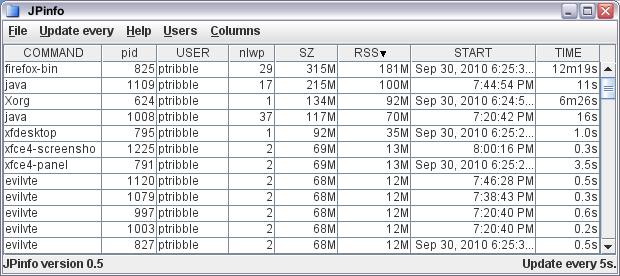
The one neat feature that made it was the ability to select which columns are visible in the process viewer. This involved a little fiddling with the Model underlying the JTable. Essentially, all I had to do was add an array of visible columns, each element of which maps to a real column. So I can have only some of the columns visible, and could re-order them if that's desired. The only tricky bit I had trouble with is that I have custom renderers for some of the columns (so that times and sizes are shown in human-friendly terms), and fiddling with the columns completely lost the custom renderers, forcing me to have to re-apply the renderers any time I change the structure.
I've hidden a few of the less commonly used columns by default, which helps by making the viewer less cluttered. There's still room for improvement, especially in the area of aggregation and filtering - areas where top and prstat are so-so.
Monday, September 06, 2010
KAR 0.4
The latest release of KAR, the Kstat Activity Reporter, is now available.
This version adds a couple of extra features:
The graphs subcommand will generate a bunch of useful png graphs for a given input file. Currently, I generate basic graphs for cpu utilization (user/kernel/idle for the whole system and for each cpu), I/O, and network statistics.
I've also added a simple browser, which looks for kar output files and lets you load them into either the kstat browser or chart builder from JKstat.
Oh, and in line with some of the other work I've been doing recently, most of the output is sorted correctly.
This version adds a couple of extra features:
The graphs subcommand will generate a bunch of useful png graphs for a given input file. Currently, I generate basic graphs for cpu utilization (user/kernel/idle for the whole system and for each cpu), I/O, and network statistics.
I've also added a simple browser, which looks for kar output files and lets you load them into either the kstat browser or chart builder from JKstat.
Oh, and in line with some of the other work I've been doing recently, most of the output is sorted correctly.
Sunday, September 05, 2010
JKstat 0.41
Updated versions of JKstat are coming out more frequently than I would like at the moment. I think I'm done and move on to something else and find I need to add some new feature.
Having just finished 0.40, which implemented Comparable to make sorting easier, I went through more of the code - including the demos included, and those in SolView - to look at how they sorted (or, in some cases, failed to sort where they should have) their output. This led me to make a slight change to the jkstat api, which cleaned up a little of the code.
The data stored by a Kstat is a simple key-value hash.The original implementation exposed this internal data structure - you simply got access to the internal Java
This version also includes a couple of samples using JStripChart, as shown in an earlier blog entry
Having just finished 0.40, which implemented Comparable to make sorting easier, I went through more of the code - including the demos included, and those in SolView - to look at how they sorted (or, in some cases, failed to sort where they should have) their output. This led me to make a slight change to the jkstat api, which cleaned up a little of the code.
The data stored by a Kstat is a simple key-value hash.The original implementation exposed this internal data structure - you simply got access to the internal Java
Map. This always felt slightly ugly, exposing internal implementation details. So that's been changed. There's a new Kstat.statistics() method, which simply returns a Set of the statistic names. This is really what clients want, rather than getting the hash and getting its keys, which is what they did before. Furthermore, in almost every case you want the list of statistic names to be sorted, so rather than everyone getting the list and sorting it themselves, it's backed by a TreeSet and is already sorted. The original getMap() method is gone. Removed. That's why we're not yet at version 1.This version also includes a couple of samples using JStripChart, as shown in an earlier blog entry
Wednesday, September 01, 2010
Simple Java strip charts
I've been looking for a very simple Java strip chart for a while, and haven't found one. So in the end I decided to put together something myself, the end result being JStripChart.
(There's already something else out there called jstripchart. Just to confuse you, it's a python implementation.)
Using JKstat to knock something together I came up with this:

Of course, you partly miss the point which is that this thing is merrily scrolling away.
I expect to be able to use this fairly extensively in both JKstat and SolView, but it's certainly not tied to those in any way - it's designed to be trivially simple to use in any context.
The API really is very simple. Just create a chart:
which you can add to your application in the normal way as it's just a
will add the value
(There's already something else out there called jstripchart. Just to confuse you, it's a python implementation.)
Using JKstat to knock something together I came up with this:

Of course, you partly miss the point which is that this thing is merrily scrolling away.
I expect to be able to use this fairly extensively in both JKstat and SolView, but it's certainly not tied to those in any way - it's designed to be trivially simple to use in any context.
The API really is very simple. Just create a chart:
JStripChart jsc = new JStripChart();
which you can add to your application in the normal way as it's just a
JPanel, and then
jsc.add(some_data);
will add the value
some_data to the right of the chart and move everything else along. That's it. (To get it to continuously update, create a Timer loop.)
Monday, August 30, 2010
New SolView
I've just released a new version of SolView. This version cleans up the code used to display SVR4 packaging, and makes a couple of improvements to the Jumpstart profile builder.
Nothing earth-shattering, but I made the list of packages and clusters sorted, which makes it a lot easier to find things. And, to make that less necessary, I implemented recursive removal of packages: if you remove a package, it removes anything that depends on that package as well, keeping the package dependency graph self-consistent.
There are various ways to make sorting work, and I had put together a couple of Comparator classes before doing it properly. The proper way is just to
Once Comparable is implemented, then all I need to do is replace
Of course, there's no point in learning something like this and then only using it the once. So there's a new version of JKstat in which the
Nothing earth-shattering, but I made the list of packages and clusters sorted, which makes it a lot easier to find things. And, to make that less necessary, I implemented recursive removal of packages: if you remove a package, it removes anything that depends on that package as well, keeping the package dependency graph self-consistent.
There are various ways to make sorting work, and I had put together a couple of Comparator classes before doing it properly. The proper way is just to
implement Comparable in the classes that need sorting. And in most cases the actual comparison is trivial - we're just comparing the name, which is just a String. (For patches it's a 2-stage numerical comparison of the patch id and revision, but still simple.)Once Comparable is implemented, then all I need to do is replace
Set with TreeSet and everything sorts. Simple, obvious, and something I should have done much earlier.Of course, there's no point in learning something like this and then only using it the once. So there's a new version of JKstat in which the
Kstat class implements Comparable, which immediately gets the output from some of the JKstat demos sorted. (And sorted correctly - there is a specific Comparator in use here, to sort names like sd0 which contain numbers correctly: the numerical part is sorted separately and as a number, so that sd2 comes before sd10.)
Saturday, August 21, 2010
Which snmp on Solaris?
I've just updated Jangle, my java based snmp viewer. Just a presentation tweak: the tree and list now show user-friendly names. For example, ifInOctets rather than 1.3.6.1.2.1.2.2.1.10. (Well, I find it easier to read, anyway!)
To be useful, you actually need to be running snmp on the machine you wish to monitor. Which leads me to a question: on Solaris, do you use the system supplied snmp daemon?
And if you do use the system one, is that just for convenience or do you use any of the extra functionality that it provides?
I know that I simply wipe out all the supplied snmp and sma stuff and put my own build of net-snmp in its place.
To be useful, you actually need to be running snmp on the machine you wish to monitor. Which leads me to a question: on Solaris, do you use the system supplied snmp daemon?
And if you do use the system one, is that just for convenience or do you use any of the extra functionality that it provides?
I know that I simply wipe out all the supplied snmp and sma stuff and put my own build of net-snmp in its place.
Friday, August 20, 2010
A new light
While the world of OpenSolaris has been pretty dark and dismal over the last 6 months, a new light has appeared.
The Illumos project, led by Garrett D'Amore, is bringing the OpenSolaris codebase truly into the open. Initially just the base system (ON - kernel and basic utilities), it will be free of encumbered code and capable of self-hosting.
Illumos itself is just a foundation, not a fully-fledged system. It can be taken by others as a basis for distributions and, indeed, there are already efforts to do so. While it's still early days, it's already about as close to being capable of being used to create an independent distribution as the original OpenSolaris source was.
The initial aim was for Illumos to be fully synchronized with the primary source from Oracle. It seems that Oracle have decided to remove themselves from the community by ceasing to make their code available. Such an ill-considered move hurts only Oracle: it frees the community from doubt, allowing it to move ahead freely, and removes any control that Oracle might have. (And it's clear that one thing that Oracle do want is control, so taking a step that eliminates their ability to control is somewhat strange.)
Elsewhere, Oracle's policy of radio silence towards the OpenSolaris community continues. Again, Oracle are harming themselves here - turning supporters into enemies, contributors into competitors. By working with the community rather than antagonizing it, they could have turned it into an asset. Now the outside energy and support that Oracle could have tapped into is being focused into Illumos and its related projects.
The Illumos project, led by Garrett D'Amore, is bringing the OpenSolaris codebase truly into the open. Initially just the base system (ON - kernel and basic utilities), it will be free of encumbered code and capable of self-hosting.
Illumos itself is just a foundation, not a fully-fledged system. It can be taken by others as a basis for distributions and, indeed, there are already efforts to do so. While it's still early days, it's already about as close to being capable of being used to create an independent distribution as the original OpenSolaris source was.
The initial aim was for Illumos to be fully synchronized with the primary source from Oracle. It seems that Oracle have decided to remove themselves from the community by ceasing to make their code available. Such an ill-considered move hurts only Oracle: it frees the community from doubt, allowing it to move ahead freely, and removes any control that Oracle might have. (And it's clear that one thing that Oracle do want is control, so taking a step that eliminates their ability to control is somewhat strange.)
Elsewhere, Oracle's policy of radio silence towards the OpenSolaris community continues. Again, Oracle are harming themselves here - turning supporters into enemies, contributors into competitors. By working with the community rather than antagonizing it, they could have turned it into an asset. Now the outside energy and support that Oracle could have tapped into is being focused into Illumos and its related projects.
Wednesday, July 14, 2010
Moving OpenSolaris forward
Unless you've been living under a rock for a while, it should be clear that the OpenSolaris Community isn't in the healthiest state. Oracle, as the new owners and sponsors of the project, have been spectacularly uncommunicative. The Governing Board have been left completely powerless, reduced to the role of spectators as Oracle withdraws behind its own barriers and what's left of the external community starts to engage in infighting.
So, and this hasn't been an easy decision, we have resolved:
The OGB is keen to promote the uptake and open development of OpenSolaris and to work on behalf of the community with Oracle, as such the OGB needs Oracle to appoint a liaison by August 16, 2010, who has the authority to talk about the future of OpenSolaris and its interaction with the OpenSolaris community. Otherwise the OGB will take action at the August 23 meeting to trigger the clause in the OGB charter that will return control of the community to Oracle.
Now, and sorry Ben, this isn't a "start talking to us or we'll just shot ourselves in the head" ultimatum. We're already on life support, if there are no signs of life then life support will be turned off.
Continuing on, or waiting indefinitely, merely perpetuates a lie. All is not well, and we would all be foolish to believe that it is. To do so would simply be delusional.
It may be nice for some to think that Oracle will ride up on a white charger to save the day. Even if that were to happen, it wouldn't really change the reality of the situation: that the current state of the community is essentially incompatible with the OpenSolaris charter and constitution, and that we need to move forward to a new organization that has new methods of governance. To get there (wherever that is) implies sweeping the current governance away. Oracle may not be prepared, but the OGB is brave enough to recognize that necessity and take the first steps. We would prefer to do so in concert with Oracle, hence the request that an official liaison be made available.
This move should also serve as a reality check and wake up call. Nobody - either within or outside Oracle - should have any excuses for being unaware of how bad things have become.
OpenSolaris stands at a crossroads. Many routes are open, there are choices available and decisions to be made. Simply standing still, wringing our hands and waiting indefinitely for Oracle to show up with a map, isn't an option. We need to break the shackles that tie us to this place and move forward.
So, and this hasn't been an easy decision, we have resolved:
The OGB is keen to promote the uptake and open development of OpenSolaris and to work on behalf of the community with Oracle, as such the OGB needs Oracle to appoint a liaison by August 16, 2010, who has the authority to talk about the future of OpenSolaris and its interaction with the OpenSolaris community. Otherwise the OGB will take action at the August 23 meeting to trigger the clause in the OGB charter that will return control of the community to Oracle.
Now, and sorry Ben, this isn't a "start talking to us or we'll just shot ourselves in the head" ultimatum. We're already on life support, if there are no signs of life then life support will be turned off.
Continuing on, or waiting indefinitely, merely perpetuates a lie. All is not well, and we would all be foolish to believe that it is. To do so would simply be delusional.
It may be nice for some to think that Oracle will ride up on a white charger to save the day. Even if that were to happen, it wouldn't really change the reality of the situation: that the current state of the community is essentially incompatible with the OpenSolaris charter and constitution, and that we need to move forward to a new organization that has new methods of governance. To get there (wherever that is) implies sweeping the current governance away. Oracle may not be prepared, but the OGB is brave enough to recognize that necessity and take the first steps. We would prefer to do so in concert with Oracle, hence the request that an official liaison be made available.
This move should also serve as a reality check and wake up call. Nobody - either within or outside Oracle - should have any excuses for being unaware of how bad things have become.
OpenSolaris stands at a crossroads. Many routes are open, there are choices available and decisions to be made. Simply standing still, wringing our hands and waiting indefinitely for Oracle to show up with a map, isn't an option. We need to break the shackles that tie us to this place and move forward.
Thursday, June 24, 2010
Wednesday, June 02, 2010
Up, up, and away
It was my birthday recently (and boy do I feel old). It's increasingly difficult to think of decent gifts I can ask for, so I've started to ask for things to do rather than things to keep. So this year Mel bought me a flight from the Imperial War Museum at Duxford, courtesy of Classic Wings.

This was in a 70 year old Dragon Rapide (above). We arrived nice and early, but the weather wasn't clearing as forecast (does it ever?) so we delayed for a while for the cloud to lift and had a look round the museum.
Then we (8 of us in all) clambered in, belted up, and set off. Two immediate impressions: for one thing, the seats are very comfortable and the legroom very decent, so much better than a modern airliner in that respect; for another, the thing is loud - you can't hold a conversation, and I imagine that several hours would become quite painful.

We were just below the clouds (a couple of times we drifted into the cloud briefly) but the view was spectacular. We flew north, round Cambridge (above) then up to Ely, did a circle, then down to Newmarket and back to Duxford (below).

Thanks Mel! I hugely enjoyed the experience.

This was in a 70 year old Dragon Rapide (above). We arrived nice and early, but the weather wasn't clearing as forecast (does it ever?) so we delayed for a while for the cloud to lift and had a look round the museum.
Then we (8 of us in all) clambered in, belted up, and set off. Two immediate impressions: for one thing, the seats are very comfortable and the legroom very decent, so much better than a modern airliner in that respect; for another, the thing is loud - you can't hold a conversation, and I imagine that several hours would become quite painful.

We were just below the clouds (a couple of times we drifted into the cloud briefly) but the view was spectacular. We flew north, round Cambridge (above) then up to Ely, did a circle, then down to Newmarket and back to Duxford (below).

Thanks Mel! I hugely enjoyed the experience.
Sunday, May 23, 2010
KAR 0.2
I've just released an updated version of KAR, the kstat activity reporter, and a matching JKstat update.
This version carries on with the original aim of simply saving all the kstats and processing them at point of use, rather than trying to predict which output might be useful at the start.
Originally, I was using kstat -p output, and I've had to move on from that. There were a couple of minor issues with the kstat -p output that I ended up having to fix. The major one was that the times from IO kstats were converted from nanoseconds into floating-point seconds. I had a quick look to see if I could supply a modified kstat, but the conversion takes place deep inside perl - it's not just a simple presentation tweak. I could have written special-case parsing code, but it's easier and more reliable to simple generate the correct data in the first place. (Simply printing kstats is pretty trivial to code, so I did.) Having fixed that, I made a couple of other minor changes to make the output more complete (including the kstat type) and smaller and quicker to parse (eliminating all duplicates of the name of the kstat).
The overhead of running kar is reduced. The storage requirement is halved from the first version, and the cpu for a data collection is cut from over 0.2s to about 0.01s on my machine. Which is all good - you want to minimise the perturbation on the system caused by any monitoring.
I added a little sar output emulator. Just to prove that I could, printing out the cpu utilization like the default sar output. The more interesting one was to generate iostat output, which is what led me to create a custom data collector. Of course, now that I have a complete set of kstats to munge, most of the stat tools in Solaris could be replicated to show what they would have looked like over time (albeit at fairly low time resolution). And, once the CLI tools are exhausted, generation of graphs is next on the list.
This version carries on with the original aim of simply saving all the kstats and processing them at point of use, rather than trying to predict which output might be useful at the start.
Originally, I was using kstat -p output, and I've had to move on from that. There were a couple of minor issues with the kstat -p output that I ended up having to fix. The major one was that the times from IO kstats were converted from nanoseconds into floating-point seconds. I had a quick look to see if I could supply a modified kstat, but the conversion takes place deep inside perl - it's not just a simple presentation tweak. I could have written special-case parsing code, but it's easier and more reliable to simple generate the correct data in the first place. (Simply printing kstats is pretty trivial to code, so I did.) Having fixed that, I made a couple of other minor changes to make the output more complete (including the kstat type) and smaller and quicker to parse (eliminating all duplicates of the name of the kstat).
The overhead of running kar is reduced. The storage requirement is halved from the first version, and the cpu for a data collection is cut from over 0.2s to about 0.01s on my machine. Which is all good - you want to minimise the perturbation on the system caused by any monitoring.
I added a little sar output emulator. Just to prove that I could, printing out the cpu utilization like the default sar output. The more interesting one was to generate iostat output, which is what led me to create a custom data collector. Of course, now that I have a complete set of kstats to munge, most of the stat tools in Solaris could be replicated to show what they would have looked like over time (albeit at fairly low time resolution). And, once the CLI tools are exhausted, generation of graphs is next on the list.
Saturday, May 22, 2010
RHCE
This last week I've been away on a training course, the Red Hat RHCE rapid track course. It's been a long time since I did formal training (anything beyond the odd hour or so, at least), so I wasn't sure how it was going to go.
All in all a success, I think. I certainly learnt a lot, and passed the exam.
As anyone who has done the RHCE exam knows, I can't really talk about any of the details. But I think the following would be helpful to others like myself:
Red Hat do a transition course for Solaris Administrators. I thought about that, and skipped it. I had no problem adjusting to RHEL, so I'm not sure what value the course for Solaris admins would be - I would have thought that if you're a bit unsure, then doing the full RHCE course rather that the Solaris course with the fast-track would be a better bet.
All in all a success, I think. I certainly learnt a lot, and passed the exam.
As anyone who has done the RHCE exam knows, I can't really talk about any of the details. But I think the following would be helpful to others like myself:
- If you're experienced in unix systems administration, and are used to administering applications, you should cope. Easily.
- With experience on other platforms, the rapid-track course is very useful.
- The RHCE exam covers a lot of application ground. For me, it was really a case of learning how Red Hat has its own tweaks (and how things like the firewall and SELinux interact with applications).
- I found that going away for the course was really helpful. It allowed me to focus on the course without distractions.
Red Hat do a transition course for Solaris Administrators. I thought about that, and skipped it. I had no problem adjusting to RHEL, so I'm not sure what value the course for Solaris admins would be - I would have thought that if you're a bit unsure, then doing the full RHCE course rather that the Solaris course with the fast-track would be a better bet.
Sunday, May 09, 2010
JKstat 0.37
So JKstat now reaches version 0.37, with the usual spread of minor fixes, enhancements, and new features.
One enhancement is the extension to 64-bit. For JKstat itself, there's no need to run it in 64-bit mode, but I need 64-bit libraries to allow JKstat to run inside a 64-bit JVM. One example of this would be SolView, which would have to run in 64-bit mode to show the sizes of 64-bit processes using JProc.
A new feature is the ability to generate png images directly from the cli, using input such as the
One of the minor fixes this time is to support the recent 1.3 release of JavaFX . It looks like JavaFX isn't binary compatible between releases, so code needs to be rebuilt to match whichever version you're using, which is a shame. Also, this version optimized away some of my method calls and I needed to fool it into not doing so.
One enhancement is the extension to 64-bit. For JKstat itself, there's no need to run it in 64-bit mode, but I need 64-bit libraries to allow JKstat to run inside a 64-bit JVM. One example of this would be SolView, which would have to run in 64-bit mode to show the sizes of 64-bit processes using JProc.
A new feature is the ability to generate png images directly from the cli, using input such as the
kstat -p archives used by kar.One of the minor fixes this time is to support the recent 1.3 release of JavaFX . It looks like JavaFX isn't binary compatible between releases, so code needs to be rebuilt to match whichever version you're using, which is a shame. Also, this version optimized away some of my method calls and I needed to fool it into not doing so.
Wednesday, May 05, 2010
Solaris Process data from Java
I've got a java interface, called jproc to process data in Solaris, using the procfs filesystem.
In the latest version, apart from starting on a tree-view (currently known to be buggy and woefully incomplete), there are a couple of little technical tricks I had to learn.
The first is that accessing the process data, particularly sizes, of a 64-bit application, requires a 64-bit application. That's why tools such as top, ps, and prstat are 64-bit (via isaexec). Now, there's a 64-bit java for Solaris, so I needed to compile my JNI library in 64-bit mode too. Normally you just call
The other thing I wanted to do was to make the display of items in tables a little more readable. JTable just picks up the type of data and defaults to a fairly basic display. My first attempt was to convert my data to pretty strings, and display those, but that had a couple of snags: by default strings get left-justified, which wasn't what I wanted, and sorting broke because it sorted the strings rather than the underlying numerical data.
The answer, of course, is to use a custom TableCellRenderer. This only affects the presentation, so that sorting works correctly against the underlying data. So far all I've done is simply humanize some of the values, but so much more is possible.
In the latest version, apart from starting on a tree-view (currently known to be buggy and woefully incomplete), there are a couple of little technical tricks I had to learn.
The first is that accessing the process data, particularly sizes, of a 64-bit application, requires a 64-bit application. That's why tools such as top, ps, and prstat are 64-bit (via isaexec). Now, there's a 64-bit java for Solaris, so I needed to compile my JNI library in 64-bit mode too. Normally you just call
but for 64-bit mode it's a little more complicated than that. In particular, just adding
cc -G
-m64 the way you would expect doesn't work. And it's different on x86 and sparc. So what I've found works, is:
amd64:
  cc -Kpic -shared -m64

sparc:
  cc -xcode=pic13 -shared -m64
The other thing I wanted to do was to make the display of items in tables a little more readable. JTable just picks up the type of data and defaults to a fairly basic display. My first attempt was to convert my data to pretty strings, and display those, but that had a couple of snags: by default strings get left-justified, which wasn't what I wanted, and sorting broke because it sorted the strings rather than the underlying numerical data.
The answer, of course, is to use a custom TableCellRenderer. This only affects the presentation, so that sorting works correctly against the underlying data. So far all I've done is simply humanize some of the values, but so much more is possible.
Sunday, March 14, 2010
Beyond sar
The old standby for recording historical system activity is sar - system activity reporter. There are many alternatives, both free and commercial, but sar has the advantage that it comes with the OS, and pretty much any version of any (unix-like) OS.
Because it's there, we use sar, saving it's output into a big archive and using tools like sar2rrd to produce charts. (It's not the only thing we use, of course.)
The problem is that, particularly on Solaris, sar is terrible. The data it collects is woefully incomplete - network data is the worst, being completely absent, but there's much more missing. Some of what is present is aggregated away so that much of the details is lost. And the list of what's present is fixed, so the whole framework is completely non-extensible.
So, I'm fed up with that, and need to do better. Note that most tools out there don't help with capturing all the data, as they have their own preconceived notions of what data might be useful (although they are generally far more complete than sar).
Enter kar - the kstat activity reporter. This is really amazingly simple. Given that (almost) all the performance data you want is obtained from kstats, simply save all the kstats on a regular basis. The implementation I have here is to save
I've said it a couple of times above, but I'm going to say it again: the key advantage here is that the data is complete and thereby naturally extensible. I don't want to enhance sar by trying to cherry-pick interesting statistics (and we could all argue for months about what might go on the list). By saving everything you automatically pick up anything new that's added. And you let consumers decide which of the statistics are interesting when you get to the post-processing phase. Say I wanted to look at the historical behaviour of the zfs ARC - no problem, it's all there in the kstats.
Using
If that wasn't enough, jkstat 0.35 has support for reading in the output of kar in both the browser and chart builder.
or
will do the trick.
Because it's there, we use sar, saving it's output into a big archive and using tools like sar2rrd to produce charts. (It's not the only thing we use, of course.)
The problem is that, particularly on Solaris, sar is terrible. The data it collects is woefully incomplete - network data is the worst, being completely absent, but there's much more missing. Some of what is present is aggregated away so that much of the details is lost. And the list of what's present is fixed, so the whole framework is completely non-extensible.
So, I'm fed up with that, and need to do better. Note that most tools out there don't help with capturing all the data, as they have their own preconceived notions of what data might be useful (although they are generally far more complete than sar).
Enter kar - the kstat activity reporter. This is really amazingly simple. Given that (almost) all the performance data you want is obtained from kstats, simply save all the kstats on a regular basis. The implementation I have here is to save
kstat -p output into files inside zip archives. Now, that's not ideal, but it has some advantages: it's almost zero effort, it gives complete coverage, and it's naturally extensible. If it works out and is found to be useful, more optimal mechanisms could be defined.I've said it a couple of times above, but I'm going to say it again: the key advantage here is that the data is complete and thereby naturally extensible. I don't want to enhance sar by trying to cherry-pick interesting statistics (and we could all argue for months about what might go on the list). By saving everything you automatically pick up anything new that's added. And you let consumers decide which of the statistics are interesting when you get to the post-processing phase. Say I wanted to look at the historical behaviour of the zfs ARC - no problem, it's all there in the kstats.
Using
kstat -p is a convenient shortcut, but does have other advantages. Because the output is textual, all your favourite analysis tools - awk, sed, perl, grep, python, whatever - can munge the data with no effort. And you can chuck the data into your graphing application of choice.If that wasn't enough, jkstat 0.35 has support for reading in the output of kar in both the browser and chart builder.
./jkstat browser -z /var/adm/ka/ka-2010-03-01.zip
or
./jkstat chartbuilder -z /var/adm/ka/ka-2010-03-01.zip
will do the trick.
Friday, March 05, 2010
JKstat 0.34
I've just pushed out a minor update to JKstat.
The change here (apart from a couple of minor bugfixes and a jnetloadfx example to remind me what JavaFX looked like) is the addition of a class to update multiple accessories together. Previously, in demos such as iostat and cpustate, each item had its own timer loop and was responsible for handling its own updates. This was especially apparent in the kmemalloc example in SolView - it was obvious that separate widgets weren't being updated simultaneously.
Now I can just have a single update loop that updates multiple accessories. Not only does it look neater, but there are noticeable improvements in memory and cpu usage from only having one timer instead of many.
Coming up next is more related work. The ability to read historical
The change here (apart from a couple of minor bugfixes and a jnetloadfx example to remind me what JavaFX looked like) is the addition of a class to update multiple accessories together. Previously, in demos such as iostat and cpustate, each item had its own timer loop and was responsible for handling its own updates. This was especially apparent in the kmemalloc example in SolView - it was obvious that separate widgets weren't being updated simultaneously.
Now I can just have a single update loop that updates multiple accessories. Not only does it look neater, but there are noticeable improvements in memory and cpu usage from only having one timer instead of many.
Coming up next is more related work. The ability to read historical
kstat -p output works fine, but requires some changes so that you step through the data rather than continuously updating in time. (If you think about it for a moment, the class I mentioned above is one example of updating the time and then telling the world to update, so it's - albeit only tangentially - related.) These changes are likely to be a bit complex, so I also decided to cut a version before starting to make more significant changes to the code.
Friday, February 26, 2010
Opening up some details of OpenSolaris under Oracle
The OpenSolaris Annual Meeting is under way on IRC. (The meeting itself is one of those odd side-effects of the old constitution, it's never really been used as a proper meeting.)
We were fortunate enough today to have Dan Roberts along to answer questions. A log of the session is available - for the conversation with DanR look just after the noon mark.
Positive, simple and straightforward:
And:
In terms of investment:
Questioned on open development:
with the caveat:
(Although the model that came to my mind was the fishworks/analytics add-ons that go into the open storage systems. So that's not a change.)
In reply to a question "for 'regular' users and contributor to Open Solaris - do you figure that anything will change in terms of how open solaris is delivered and how developers contribute?":
On the subject of User Groups, there's already been some outreach (as I've noted before). Part of the story here is that Oracle have a group for community support, so that group will take over the support that has come from Sun in the past. User groups still look after themselves, but wil be centrally supported (if they want and need it) through the new route. I also expect some user groups to form relationships with other organisations such as the independent Oracle User Groups, and all user groups will be free to take whatever steps they wish to in that area.
Support is an area that has been contentious recently. On this:
(Read it this way: if anybody wanted support, they should have paid up. I've heard what "very little sales" means. My one concern in this area is support for Solaris/OpenSolaris on 3rd-party systems.)
All in all, though, thanks to Dan for sticking his head above the parapet. And - while there are clearly devils in the details - it's clear than Oracle plan to keep pushing OpenSolaris forward, so rumours of its death have been greatly exaggerated.
We were fortunate enough today to have Dan Roberts along to answer questions. A log of the session is available - for the conversation with DanR look just after the noon mark.
Positive, simple and straightforward:
Oracle will continue to make OpenSolaris available as open source, and Oracle will continue to actively support and participate in the community
And:
Oracle will also continue to deliver OpenSolaris releases, including the upcoming OpenSolaris 2010.03 release.
In terms of investment:
Oracle is investing more in Solaris than Sun did prior to the acquisition, and will continue to contribute technologies to OpenSolaris, as Oracle already does for many other open source projects
Questioned on open development:
Oracle will continue to develop technologies in the open, as we do today
with the caveat:
There may be some things we choose not to open source going forward, similar to how MySQL manages certain value add at the top of the stack.
(Although the model that came to my mind was the fishworks/analytics add-ons that go into the open storage systems. So that's not a change.)
In reply to a question "for 'regular' users and contributor to Open Solaris - do you figure that anything will change in terms of how open solaris is delivered and how developers contribute?":
Love to see the tech journal crowd participating! And yes, regular users will find things mostly unchanged. Contributors also.
On the subject of User Groups, there's already been some outreach (as I've noted before). Part of the story here is that Oracle have a group for community support, so that group will take over the support that has come from Sun in the past. User groups still look after themselves, but wil be centrally supported (if they want and need it) through the new route. I also expect some user groups to form relationships with other organisations such as the independent Oracle User Groups, and all user groups will be free to take whatever steps they wish to in that area.
Support is an area that has been contentious recently. On this:
And Oracle will ensure customers running OpenSolaris have an option for support on Oracle Sun Systems where it's required, though given the very little sales here this will not be something we expect many customers to deploy going forward. Solaris is our focus, on both SPARC and x86.
(Read it this way: if anybody wanted support, they should have paid up. I've heard what "very little sales" means. My one concern in this area is support for Solaris/OpenSolaris on 3rd-party systems.)
All in all, though, thanks to Dan for sticking his head above the parapet. And - while there are clearly devils in the details - it's clear than Oracle plan to keep pushing OpenSolaris forward, so rumours of its death have been greatly exaggerated.
Friday, February 19, 2010
Nominations for the 2010-2011 OGB now open
The OpenSolaris Governing Board is now accepting nominations for candidates to run for the OGB term starting April 2010. Anyone registered with an account on the OpenSolaris.org website is eligible to be nominated, even if not currently recognized as a Core Contributor or Contributor to any existing community group.
Nominations should be e-mailed to ogb-discuss@opensolaris.org (please make sure you either use the web forum or subscribe to the mailing list first to avoid getting caught in the spam-filter/moderation queue - use the forums or sign up at http://mail.opensolaris.org/mailman/listinfo/ogb-discuss)
Nominations must submitted by a current Core Contributor - those who are interested in running may nominate themselves if they are a Core Contributor already (see the current lists of Core Contributors on https://auth.opensolaris.org), or send mail to the mailing list asking for a Core Contributor to formally nominate them if they are not a Core Contributor.
Those who are nominated by others must send mail to ogb-discuss accepting their nomination.
All candidates will be required to submit a statement before the election containing "a list of their commercial affiliation, or other interests related to OpenSolaris, so that a voting member can understand the context from which they would act on the OGB and the likely biases they would bring."
The deadline for submitting and accepting nominations will be 23:59 in the US/Pacific timezone on Monday, March 1. Statements from nominees are due before the start of voting, which is scheduled to begin at 00:00 on Monday, March 8.
Nominations and acceptances will be tracked during the nomination period using the OpenSolaris bugzilla at http://defect.opensolaris.org/ in the "ogb" product under the "nominations" category.
More information about the OpenSolaris elections and governance can be found at:
Nominations should be e-mailed to ogb-discuss@opensolaris.org (please make sure you either use the web forum or subscribe to the mailing list first to avoid getting caught in the spam-filter/moderation queue - use the forums or sign up at http://mail.opensolaris.org/mailman/listinfo/ogb-discuss)
Nominations must submitted by a current Core Contributor - those who are interested in running may nominate themselves if they are a Core Contributor already (see the current lists of Core Contributors on https://auth.opensolaris.org), or send mail to the mailing list asking for a Core Contributor to formally nominate them if they are not a Core Contributor.
Those who are nominated by others must send mail to ogb-discuss accepting their nomination.
All candidates will be required to submit a statement before the election containing "a list of their commercial affiliation, or other interests related to OpenSolaris, so that a voting member can understand the context from which they would act on the OGB and the likely biases they would bring."
The deadline for submitting and accepting nominations will be 23:59 in the US/Pacific timezone on Monday, March 1. Statements from nominees are due before the start of voting, which is scheduled to begin at 00:00 on Monday, March 8.
Nominations and acceptances will be tracked during the nomination period using the OpenSolaris bugzilla at http://defect.opensolaris.org/ in the "ogb" product under the "nominations" category.
More information about the OpenSolaris elections and governance can be found at:
Tuesday, February 16, 2010
OpenSolaris: Oracle, where art thou?
After a prolonged wait, Oracle have now completed their takeover of Sun. Late January, they presented their plans for taking Sun's products forward.
OpenSolaris wasn't even mentioned.If you look carefully, it's on a slide, but that's about it.
That silence has continued. OpenSolaris has - publicly at least - been completely ignored by Oracle. It's as if we don't exist.
Somewhat perturbed by this state of affairs, I asked for a communication channel to be established between Oracle and the OGB. This was ignored. The OGB pointed out (in pretty strong terms) to those Sun staff that we do have communication with that some level of contact was needed. We haven't heard back.
It's not as if we're asking for much; the very basic start of a conversation. I've no doubt that Oracle are very busy, but not even bothering to say hello?
Recently, Oracle sent a welcome letter to (some of) the OpenSolaris User Group leaders. While any contact is welcome, the manner in which it was done was unfortunate. It ignored OpenSolaris as a whole, ignored all the other groups that make up the OpenSolaris community, and completely bypassed the Governing Board. This is shockingly poor treatment.
I've attempted to make contact. Again, this approach has been completely ignored. I have not even been accorded the common courtesy of an acknowledgment.
I'm not the only one. It's clear that the OpenSolaris community are very concerned, and they're being left completely in the dark. Ben blogged an Open Letter to Oracle and that doesn't seem to have elicited any response either.
At a most basic level, this is simply impolite. Even downright rude. Is it a sign of something more sinister? Well, nothing at all has been said that would allow anyone ta make a judgment, but it's fuelling the FUD machine.
Needless to say, this is pretty inauspicious start to a relationship. It's about time for Oracle to stop avoiding us and make their intentions known, especially with the OpenSolaris Governing Board Elections just round the corner.
OpenSolaris wasn't even mentioned.If you look carefully, it's on a slide, but that's about it.
That silence has continued. OpenSolaris has - publicly at least - been completely ignored by Oracle. It's as if we don't exist.
Somewhat perturbed by this state of affairs, I asked for a communication channel to be established between Oracle and the OGB. This was ignored. The OGB pointed out (in pretty strong terms) to those Sun staff that we do have communication with that some level of contact was needed. We haven't heard back.
It's not as if we're asking for much; the very basic start of a conversation. I've no doubt that Oracle are very busy, but not even bothering to say hello?
Recently, Oracle sent a welcome letter to (some of) the OpenSolaris User Group leaders. While any contact is welcome, the manner in which it was done was unfortunate. It ignored OpenSolaris as a whole, ignored all the other groups that make up the OpenSolaris community, and completely bypassed the Governing Board. This is shockingly poor treatment.
I've attempted to make contact. Again, this approach has been completely ignored. I have not even been accorded the common courtesy of an acknowledgment.
I'm not the only one. It's clear that the OpenSolaris community are very concerned, and they're being left completely in the dark. Ben blogged an Open Letter to Oracle and that doesn't seem to have elicited any response either.
At a most basic level, this is simply impolite. Even downright rude. Is it a sign of something more sinister? Well, nothing at all has been said that would allow anyone ta make a judgment, but it's fuelling the FUD machine.
Needless to say, this is pretty inauspicious start to a relationship. It's about time for Oracle to stop avoiding us and make their intentions known, especially with the OpenSolaris Governing Board Elections just round the corner.
Subscribe to:
Posts (Atom)